






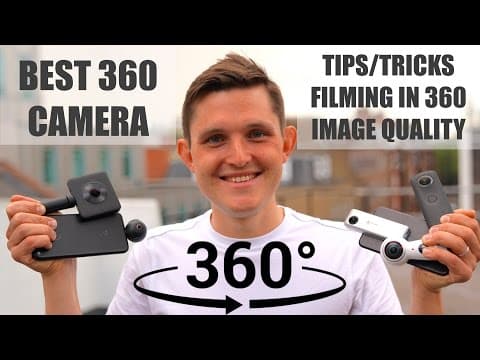




Best 360 Camera pt 1 - Xiaomi Mi 360, Samsung Gear 360, Insta360 Nano, Insta360 Air, Ricoh Theta S
By Sander SaarPublished Updated Length
Loading YouTube player.
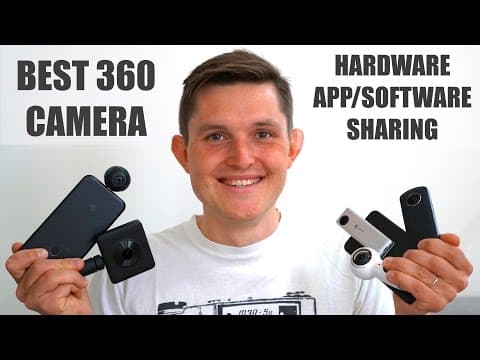
Best 360 Camera pt 1 - Xiaomi Mi 360, Samsung Gear 360, Insta360 Nano, Insta360 Air, Ricoh Theta S
Sander Saar compares five consumer 360 cameras: the Xiaomi Mi 360, Samsung Gear 360, Insta360 Nano, Insta360 Air and Ricoh Theta S. He begins by outlining different types of 360 camera setups, from single-lens attachments and dual-lens models to multi-camera rigs and professional systems, and explains how they stitch images. The video then examines the five cameras across four main areas: hardware design, including form factors, weights, cases, buttons and screens; camera specifications, covering resolution, frame rates, lens aperture, battery life, stabilisation, waterproofing and pricing; platform support, detailing 360 photo, video and live streaming compatibility across Facebook, YouTube and other social networks; and the companion apps on iOS and Android, demonstrating live views, settings, editing, sharing and compatibility limits for each model. Sander concludes by recommending the Insta360 Nano or Air for beginners and the Xiaomi Mi 360 as a step-up option.
Watch on AgentTVAsk about this video
Chapter summaries
Overview of the 360 camera comparison
Sander introduces five popular consumer 360 cameras from Xiaomi, Ricoh, Samsung and Insta360, and outlines the four areas covered in the video: hardware, camera specs, software and sharing, and the app experience.
On screenSander sits on a grey sofa against a plain white wall, wearing a white t-shirt with a black vintage camera graphic, with 360 cameras and product boxes arranged behind him. A blue textured title graphic with red, black and yellow banners appears briefly, followed by a numbered topic list in the upper right.
Types of 360 cameras
Sander defines different 360 camera setups, including single-lens attachments, dual-lens cameras, multi-camera rigs, prosumer models, and professional cinema cameras, and explains how they stitch images.
On screenA man wearing a white t-shirt with a black vintage camera graphic, a black watch, and a ring sits centred in front of a grey fabric sofa against a plain white wall in a bright indoor room. Physical 360 cameras and black and white product boxes, including one marked Gear 360, are arranged on the sofa back behind him. As he speaks and gestures with his hands, various graphics and inset images appear beside him. First, a large inset on the left shows a black camera fitted with a black dome lens attachment labelled sphere optics, accompanied by the text "It is 360° horizontally and 180° vertically". Next, insets of a tall black and silver dual-lens camera and a round black Insta360 Air camera flank him, with on-screen text reading RICOH THETA S. Overlays then show a black action camera rig on a black and red flexible tripod alongside a large black spherical multi-camera rig, with text reading "* rigs range between 3 to 6 action cameras". Subsequent graphics pair a GoPro Be a HERO. logo with a black multi-camera rig, a grey JUMP logo with a black circular YI HALO rig shown from above and below, an Insta360 logo with a white multi-lens camera, OZO NOKIA text with a grey spherical multi-lens camera, and JAUNT text with a black ribbed multi-lens camera on a tripod. Later, two inset videos appear in the top corners, showing circular fisheye views of an outdoor scene on the left and a wide stitched panoramic view of a man crouching on a sunny paved riverside area with trees, buildings, and a blue sky on the right, before disappearing to leave a medium shot of the host.
Hardware design of the five 360 cameras
Sander introduces the five affordable consumer 360 cameras and compares their form factors, mounting options, weights, protective cases, buttons, and screens.
On screenIn a bright indoor room, a man with short dark hair wearing a white t-shirt with a black camera graphic sits on a grey sofa against a plain white wall, speaking and gesturing with 360 cameras and product boxes arranged behind him, including a black Gear 360 box. The video cuts to overhead close-ups over the grey sofa fabric with blurred product boxes in the background, where hands hold five 360 cameras fanned out, a black square camera, a black tall camera, a silver rectangular Insta360 camera, a small black spherical camera, and a white camera, while brand logos and labels including THETA, Insta360, and Gear 360 appear on screen. The host picks up the small black spherical camera from behind him, followed by close-ups of hands attaching the silver rectangular Insta360 camera and the black spherical camera to black smartphones, as well as fitting a black phone mount onto a phone with the silver camera attached. Hands then remove a matte black square camera from a black pouch to show its front and slim profile, display a white and grey tall handheld camera with a round screen and buttons, and take a matte black tall THETA camera out of its case. A static top-down shot shows five items lined up on the grey fabric, a flat black pouch, a black fold-over case, a grey drawstring pouch, a small black ball-shaped camera, and a grey fabric case, each with a white line pointing to weight labels reading 108g, 125g, 75g, 26.5g, and 130g. Low-angle close-ups pan across a white and grey Samsung 360 camera with a domed lens, a long matte black camera, and a square matte black camera resting on the fabric. A hand then holds the Samsung 360 camera and presses a button to cycle its small circular display through modes including HDR, Landscape HDR, and Switch lens, before two hands turn a black smartphone with the silver Insta360 camera mounted on top to show its lenses, branding, slim profile, and green indicator light.
Camera specs, battery life and pricing
Sander explains why high resolution is essential for 360 video and compares the five cameras across photo megapixels, video resolution and frame rates, lens field of view and aperture, battery runtime, stabilization, waterproofing and price.
On screenSander speaks on the grey sofa with inset 360 street footage, followed by product shots of the five cameras and their boxes lined up on grey fabric with white callout lines and specification labels for megapixels, resolution, aperture, battery life and price.
Platform support, sharing and live streaming
Sander reviews which social platforms support 360 photos and videos, which cameras are automatically recognised by Facebook and YouTube without extra tagging, and which models support 360 live streaming.
On screenA man in a white t-shirt with a black camera print and a black watch sits on a grey fabric sofa against a white wall, speaking to the camera and gesturing with his hands. Arranged on the sofa behind him are several black, white and silver 360 cameras and retail boxes, including a black Gear 360 box and a small black camera on a tripod. To his right, an on-screen graphic displays platform icons for Facebook, YouTube and Twitter, later expanding to include Instagram, Snapchat and WhatsApp, with photo and video rows marked with green ticks and red crosses. The framing shifts and a comparison chart appears on the left, listing Mi, Gear 360, Insta360 Air, Insta360 Nano and later THETA across the top, with Facebook and YouTube rows below marked with green ticks and red crosses, while the host points towards the chart with his thumb. The graphics disappear as the host continues speaking in medium and closer shots. The video then cuts to a close-up of five 360 cameras lined up on grey fabric in front of out-of-focus white and black product boxes, including a Gear 360 box, showing a black square camera, a tall black Ricoh camera, a silver camera on a small tripod, a small black spherical camera and a white camera. Red and blue Facebook Live icons appear along the bottom, with a red cross under the leftmost camera and text reading "ONLY USING A PC" and "ONLY USING SAMSUNG".
App experience overview and Xiaomi Mi 360 app
Sander introduces the role of 360 camera companion apps and demonstrates the Xiaomi Mi 360 app on iOS and Android, covering its community feed, live view, camera settings, sharing and Android-only video editing.
On screenA presenter wearing a white t-shirt with a black and white vintage camera graphic, a black watch on his left wrist and a ring on his left hand sits centred on a grey sofa in a bright indoor room with a plain white wall behind him. Five 360 cameras and their white and black boxes are arranged along the back of the sofa behind him as he speaks to the camera and gestures with both hands. The view then cuts to a close-up of his hands holding two black smartphones side by side over a grey fabric surface with blurred camera boxes in the background. The screens first show home screens with app icons before opening to a blue-headed Discover page with a scrollable feed of 360 panoramic photos of streets and markets. Next, the left phone displays a live 360 camera view of the cameras and boxes with a large orange record button, which a thumb pans across, followed by a Settings page with sliders and options including Resolution, White balance and Exposure compensation, while the right phone shows a Select device page listing a previously connected camera. The phones then show sharing interfaces over a night street panorama, with the left phone displaying a dark share sheet with icons for WeChat, Moments, QQ, Facebook and Copy URL, a video player and a transcoding progress screen, and the right phone showing a blue Mi Sphere Camera sign-in page with Facebook and Google buttons. Both screens then display 360-degree night street video editing interfaces with timelines and controls for Cut, Filter, Music and View as a thumb taps and scrubs the timeline. Finally, the phones return to their home screens showing app icons, and a finger opens the Gear 360 app on the right phone to a white menu with Camera, Gallery and Settings while the left phone displays a system dialogue stating "Samsung Gear 360 keeps stopping".
Samsung Gear 360 app
Sander shows the Samsung Gear 360 app, noting it only works on Samsung Android and iOS devices, and demonstrates its camera controls, gallery and sharing.
On screenIndoors over a grey fabric surface, two hands hold two smartphones with blurred 360 camera equipment and camera boxes in the background. The left Android phone shows a "Samsung Gear 360 keeps stopping" dialogue with a "Close app" option over app icons including Mi Sphere C., Gear 360, Insta360 Air, and THETA S, before turning to a black screen. The right phone runs the Gear 360 app, displaying a circular fisheye live camera preview of cameras on a table with "Video", "Reset view", and "MODE" controls at the bottom. The right thumb taps to change modes, and the screen then shows the Gear 360 "Gallery" grid of 360 thumbnails. The thumb selects a night street panorama, opens the iOS share sheet with messaging and social icons including Facebook and Twitter, and then opens a "Facebook" "Post" composer with an on-screen keyboard.
Insta360 Nano and Air app
Sander demonstrates the Insta360 app for Nano and Air, highlighting its community features, image editing, tiny planet animations, VR viewing and camera updates.
On screenIndoors over a grey fabric surface, a pair of hands holds two black smartphones, each with a small 360 camera mounted on top: a black spherical camera on the left and a silver rectangular camera on the right. Camera boxes, including a black Samsung Gear 360 box, along with other cameras and papers, are visible in the background. Both screens show the Insta360 app, starting with a live preview looking down at the light grey couch with a large yellow record button. Thumbs scroll through the Insta360 Album of night street 360 thumbnails and then the Daily Selections page, which displays a grid of colourful community photos including outdoor and tiny-planet views. The phones then show Insta360 settings lists with toggles, the right phone featuring a yellow header and options including Camera settings and Time-lapse. Returning to the Album grid, a thumb opens a 360 photo of a man standing on a street at night under a blue sky and swipes to rotate the view between a wide panorama and a corrected perspective. Finally, the thumbs tap and scroll through sharing menus with coloured social app icons including Facebook, Instagram, Twitter, WhatsApp and Messenger, as well as animation style options with preview thumbnails in dark interface panels, showing modes such as Little planet, Crystal ball and Group photo.
Ricoh Theta S app
Sander demonstrates the Ricoh Theta S app on iOS and Android, covering its community gallery, camera controls and sharing options, while noting it cannot update the camera.
On screenAn overhead indoor close-up shows hands holding two black smartphones over a grey surface, with blurred camera boxes in the background. Thumbs tap and swipe the screens, moving from home screens to a 360 photo app and the theta360.com website gallery displaying grid thumbnails of circular 360 images. The screens then show an album thumbnail view and a timeline view of a cobbled plaza with a large building and a person in dark clothing, before opening the plaza 360 photo in full screen. A white Share Photo pop-up menu then appears with social sharing toggles and options, including SHARE IMAGE, SHARE LINK, Facebook, Twitter, Tumblr, Privacy Settings, Unlisted, and Public, as the thumbs tap the options and scroll through the list. Other on-screen text reads Gallery, THETA, Tap the creation to view the 360 image or video., Enter a comment, 256, #theta360, Done, Wi-Fi Status, and Tiger.
Final verdict and camera recommendations
Sander concludes that 360 cameras are nearly ready for prime time, recommends the Insta360 Nano or Air for beginners and the Xiaomi Mi 360 as a step-up option, and signs off.
On screenSander sits on the grey sofa in front of the 360 cameras and product boxes, gesturing as he speaks before waving goodbye, followed by an animated blue, red, black and yellow outro graphic.
Transcript
Hi everybody, I'm Sander and I believe in technology. 360 cameras are now everywhere, taking pictures, recording video, from all the way from Western flagships to the Chinese newcomers. Today in this video, we'll be taking a look at some of the most popular 360 cameras from Xiaomi, Ricoh, Samsung, and Insta360.
You might ask why we're talking about 360 cameras and we're still looking at a flat image recorded on a conventional camera. I've actually recorded a separate video filmed on all of these 360 cameras to talk about some of the tips and tricks when filming in 360, how it's completely changing the way we're creating, editing, distributing, and consuming 360 videos, as well as most importantly looking at the image quality coming out of these cameras.
In this video, however, we'll be looking at the hardware, the specs of all of these different cameras, also looking at the usability and sharing from these cameras and the overall app experience on iOS and Android devices. First of all, let's define what are the 360 cameras because they come in many, many different forms. There are single-lens options that just go on top of an existing camera and create that kind of 270-degree experience which is not completely 360.
Then the second option are these more conventional examples where you have 2 at least 190-degree lenses going together when stitched together creating a 360 world. Then the conventional way, how most of them started, was a 4-camera setup where you had 4 action cameras like GoPros attached to a rig that, when stitched together in a computer, created that 360 environment. These cameras cost from GoPro only, for example, $4,000.
Another more kind of complicated or complex solution for 360 cameras is the 16-camera solution, for example, that Google put together. That creates a 360 and 3D environment. That means when you're looking around, you can also move a little bit within the, inside that environment to create that depth within that 360 world. And then there are also some prosumer cameras coming from Insta360 Pro that cost about $3,500 that shoot up to 8K images and also allow live streaming at a much higher frame rate as well as the resolution.
And also there are some professional cinema cameras, for example, that Nokia brought out, Nokia OZO, as well as the, um, Agilent VR camera, that both start around $40,000. In all cases, the 360 cameras capture many different angles of the same environment synced to the same millisecond, and then they're either stitched within the camera, stitched within the computer, so when you import just the lens images, or they're stitched within a phone as it is in the Insta360 Nano and Air case.
In this video, we'll be taking a look at some of the more conventional and more affordable 360 cameras that range between $125 and $300. For example, the Xiaomi Mi 360 camera, Ricoh Theta S 360 camera, Insta360 Nano for iPhone, Insta360 Air for Android devices that comes with micro USB and USB-C connection, and the newly released Samsung Gear 360 2017 edition.
The major differences for these 360 cameras, first of all, is their form factor. While I really like the form factor of something like Insta360 Air and Insta360 Nano, you can just pick them up, put them in your pocket, attach them to your phone, and be ready to shoot 360 photos and videos. On the other hand, they're much more difficult to be attached to other objects and mounts. For example, if you want to use monopod or GorillaPod or stabilizer and so on, because you have to use a phone mount first of all and then attach it to the stabilizer.
Especially when you're using the Insta360 Nano, as it kind of goes along your phone, most of the phone mounts even don't work with that. Out of these cameras, the smallest and lightest is the Xiaomi at 106 grams, which has also flat design, so it's easy to pocket it and take it with you. Samsung weighs about 130 grams and Ricoh 125 grams. Both using their tall handheld design.
Insta360 Nano also has a battery embedded and takes up a little more space, but it's still very small as we said and only weighs 75 grams. And Air is super tiny and only weighs 26.5 grams. All of these cameras also come with a nice case to protect the body and the lens when you're carrying them with you. On the body, they all have power on and off button, a record button, and also options button which normally changes the mode between photo and video.
Samsung has also accommodated the screen to navigate between time-lapse, loop video, and other settings, so there is no real use for a smartphone. Insta360 Nano has only one button to turn it on and off and to initiate recording when you're using it as a standalone device. Otherwise, it's similar to Air. Everything needs to be done through the app when connected through the phone in order to record any video or photo.
Even though it's very early days for 360 cameras, like some of your first smartphones that you owned, major leaps can be made in increased resolution, and it totally shows in the video and photo quality coming out of these cameras. While 4K might sound way too much when you're looking at the conventional flat image on your phone or on your computer screen, then in 360 environments you're actually looking only at the small piece of the image which is generally smaller than HD if you're even having a 4K resolution on the camera.
So resolution really matters here, even to bring the bare minimum. So let's see how well these cameras stack up in terms of specs that they promise for photos, videos, and others. First of all, let's take a look at the photo resolution. The highest photo resolution is for Xiaomi at 23.8 megapixels. The second highest is for Samsung at 15 megapixels, which actually used to be 30 megapixels for the previous Samsung Gear 360 camera.
50 megapixels is also the resolution for Ricoh Theta S, and only 8 megapixels for Insta360 Nano and 4.5 megapixels for Insta360 Air, which is not really usable for photos. When looking at the video resolution, the highest video resolution is provided by Samsung when stitched in computer at 4096 x 2048, which is a 4K at 24 frames per second.
When you're stitching it in-camera, you're reducing about 200 pixels, still accounting around 3,800 pixels. Mi 360 is around 400 pixels smaller recording and stitching in-camera at 3,456 x 1,728, which is about 3.5K image at 30 frames per second at higher frame rate. And Insta360 Air and Nano both shoot 3K resolution All stitched in-camera in phone.
Ricoh Theta S only offers you HD resolution for video, which you will see in the second video really shows the low performance compared to other cameras. Another area to look at these cameras is the lens, which also shows how much light goes into these cameras. They all feature really wide lenses between 190 degrees for Mi 360, Gear 360, and Ricoh Theta S, and 210-degree wide-angle lenses for Insta360 Nano and Air.
The widest aperture is on Nano as well as the Mi 360 camera and Ricoh Theta S at f/2.0. Slightly narrower aperture at f/2.2 for Gear 360 and f/2.4 for Insta360 Air. When looking at the battery and the length of recording, on paper Samsung Gear 360 has a 130-minute runtime at 2.5K resolution.
In reality, it's actually less than an hour when running 4K resolution. It's 75 minutes for Mi 360 at 3.5K resolution, 70 minutes for Insta360 Nano, 65 minutes for Ricoh Theta S, and Insta360 Air is fully powered by your phone, so it depends how long and how big your phone battery is. Stabilization is another key part to compare on these cameras. While the Mi 360 is featuring stabilization for any vibration.
So when you're shaking the camera, similar to your phone, it will stabilize the image. Then the cameras like Insta360 Nano and Air also feature a gyroscopic stabilizer, which means that when you're rotating the camera or swinging the camera, it will always keep it steady for the viewer so they don't get sick. While Gear 360 as well as Ricoh don't feature any stabilization internally. Therefore, it's highly recommended on these cameras to use external stabilizations like monopods, GorillaPods, or also the specific 360 camera stabilizers that are now out in the market as well.
Other features to highlight on these cameras is that the Xiaomi Mi 360 camera also features a waterproof IP67, which means that it can be submerged for an up to 1 meter depth for 30 minutes, which really makes it possible to also take underwater 360 images and video. How cool is that? There is also relatively high difference in pricing. While Insta360 is definitely positioning themselves as entry-level, the Air costing $129 and 360 Nano costing $199, the step up from that will be the Samsung Gear 360 at $259, similarly priced Xiaomi Mi 360 at $269, and the more expensive Ricoh Theta S at $299.
Now let's talk about sharing and platform support. On platform side, Facebook for example supports both photo and video sharing, while on YouTube and Twitter you can only share videos and no photos in 360. Neither photos or videos are supported on Instagram or Snapchat and many other messaging platforms such as WhatsApp. So there's a long way to go for the platforms to start supporting the ingestion of 360 videos, also to visualize them and share them with your network.
Sharing 360 photos and videos needs to also be supported on the camera side and the app side. For example, when sharing from Mi 360, Gear 360, or Insta360 Air, the videos and photos are only automatically recognized within Facebook but not on YouTube. So for YouTube, you would need to export them, put them into your computer, use a Google software to tag them specifically to say that it's a 360 video, and then YouTube, uploading it to YouTube will recognize that it's a 360 video that you're sharing.
The photos and videos that you're sharing to Facebook and YouTube are both only always automatically recognized for Insta360 Nano as well as the Ricoh Theta S cameras. Live streaming becoming also increasingly more popular for normal phone cameras and bigger cameras and everyday users. Is also now available for 360 cameras within Facebook and YouTube, but only very few cameras support that.
Again, Insta360 Nano and Insta360 Air are the only ones that support live, and that's why also the stabilization is really key, especially when you're using it handheld or moving. You don't want to make your viewers, especially live viewers, sick as you can't make any adjustments in post-production. You can also livestream Ricoh Theta S camera when connecting with a cable through a PC and using a specific software to distribute on Facebook or YouTube platforms.
While live streaming on Gear 360 is not available on Android and iOS devices, it is available exclusively on Samsung Galaxy devices. Now let's talk about the app experience. The app is required in all of these cases to make camera adjustments, to download and save your videos, and also to share your videos. And most of the apps are really capable of doing that, but let's look at them one by one. Mi 360 has an app both for iOS and Android, and you can see the community photos there.
You can navigate the photos, see live images, and also control your camera and camera settings. You can also share your photos and videos, but only to Facebook, as we already mentioned. Otherwise, you would have to download them and upload to other services yourself. You can also edit videos, but you can only do that on Android devices. That is not supported on iOS. Gear 360 is done interestingly, as they state that it works both on Android and iOS, while in reality it only works on Samsung Android devices and iOS devices.
Similarly, you can also control the camera, download the photos, share the photos, and see the details of the photos. Insta360 probably has the most complete app experience, both for Nano as well as Air. They have community features where you can also upload to Insta360 environments. You can edit images. You can also create movement within the images. For example, when you're sharing to Instagram, you can create that small world effect or tiny planet, as you would have to otherwise use a third-party app to do that.
You can also view in VR and also update your camera. Ricoh has got also an app available on both platforms, iOS and Android, which does all as the other apps, including sharing to their own websites, seeing the community, having the camera controls, but one thing it does not allow you to do is to update the camera itself. So to conclude, I believe 360 cameras are almost ready for prime time, as you will also see in the second video looking at the image comparison.
There is still a long way to go to increase the resolution and also make it much more immersive, but that also consequently requires much higher bandwidth for streaming and viewing of these videos. So be sure to check out that video as well where we discuss these. In addition, I think it will be a while once we have great consumption devices in addition to this immersive VR experience that we have today, to the high-resolution professional VR solutions like Oculus as well as HTC, or ideally a mixed reality headset where we can transport ourselves or our friends to places we've been ourselves to share those experiences.
By the way, if you want to see a video series on that, I've made a 3-part video series on all the things you should know about virtual reality, so be sure to check out that as well. But if you're just getting started and want to get into 360 video and photo, I would recommend you picking up the Insta360 Nano or Insta360 Air depending on the phone you're using, as they are the cheapest on the market. If you want to step up, I highly recommend the Mi 360 camera from Xiaomi, which is also the combination that I will be keeping around until a better one comes out.
So thank you very much for watching this video. I hope you enjoyed this video on 360 cameras. If you enjoyed this, please leave it a thumbs up. Let's have a conversation down below in the comments section. And if you also believe in technology, please subscribe to this channel not to miss out on the new videos. Thanks again, and I hope to see you next time.