Sander Saar, founder of AgentCDN, making videos work inside AI






Creating
Shorts

Reviews

Best 360 Camera pt 2 - Xiaomi Mi 360, Samsung Gear 360, Insta360 Nano, Insta360 Air, Ricoh Theta S
May 18, 2017
Best 360 Camera pt 1 - Xiaomi Mi 360, Samsung Gear 360, Insta360 Nano, Insta360 Air, Ricoh Theta S
May 18, 2017

Best Smart Scale - Withings Cardio, QardioBase, Xiaomi Mi Body Scale
Apr 25, 2017
Best Wifi Router Test - Google Wifi vs Apple Airport Extreme vs Xiaomi Mi Wifi 3
Feb 17, 2017

Best Bluetooth Wireless Headphones? B&O Beoplay H9 Review - In Comparison With Bose QuietComfort 35
Feb 9, 2017

Xiaomi Mi Robot Vacuum - Review and Comparsion with iRobot Roomba 980
Jan 10, 2017

Uses of VR? Arguments For And Against VR? - All Things You Should Know About Virtual Reality pt 3/3
Nov 4, 2016
Related videos · 8 videos
Shorts · 1
Videos · 7
Best 360 Camera pt 2 - Xiaomi Mi 360, Samsung Gear 360, Insta360 Nano, Insta360 Air, Ricoh Theta S
May 18, 2017
Best 360 Camera pt 1 - Xiaomi Mi 360, Samsung Gear 360, Insta360 Nano, Insta360 Air, Ricoh Theta S
May 18, 2017
Best Smart Scale - Withings Cardio, QardioBase, Xiaomi Mi Body Scale
Apr 25, 2017
Best Wifi Router Test - Google Wifi vs Apple Airport Extreme vs Xiaomi Mi Wifi 3
Feb 17, 2017
Best Bluetooth Wireless Headphones? B&O Beoplay H9 Review - In Comparison With Bose QuietComfort 35
Feb 9, 2017
Xiaomi Mi Robot Vacuum - Review and Comparsion with iRobot Roomba 980
Jan 10, 2017
Uses of VR? Arguments For And Against VR? - All Things You Should Know About Virtual Reality pt 3/3
Nov 4, 2016
Apps
Analysis
Articles

Best Wifi Router Test - Google Wifi vs Apple Airport Extreme vs Xiaomi Mi Wifi 3
Loading YouTube player.
Best Wifi Router Test - Google Wifi vs Apple Airport Extreme vs Xiaomi Mi Wifi 3
Feb 17, 2017 · 14:07
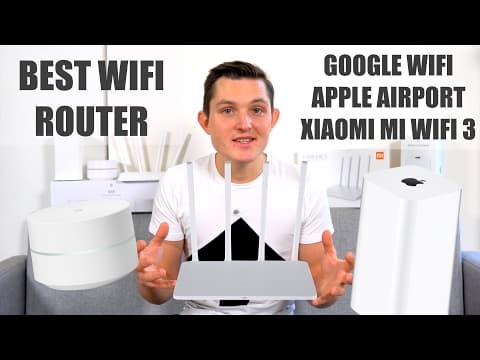
This video compares three wireless routers: the Google Wifi, Apple Airport Extreme, and Xiaomi Mi Wifi 3. Sander Saar examines their hardware specifications, design, ports, and pricing before demonstrating their respective companion mobile apps. Real-world performance is measured across different apartment locations to evaluate signal strength, local bandwidth, and internet speeds. The video concludes with an overview of the findings and final recommendations.
Chapters
- 0:00
Introduction to the router comparison
Sander introduces the comparison between the Apple AirPort Extreme, Xiaomi Mi Wi-Fi 3, and Google Wifi, detailing his home setup and what will be tested.
- 1:20
Hardware and specs comparison
Sander breaks down the hardware specifications, port selections, internal memory, weight, dimensions, and prices for all three routers.
- 5:40
Software and companion apps
The mobile applications for Xiaomi, Apple, and Google are demonstrated, comparing feature depth, network management, plugin support, and smart home controls.
- 7:41
Real-world performance testing
Sander conducts real-life tests across multiple devices and locations in his apartment, measuring signal strength, local bandwidth, and internet speeds.
- 12:53
Conclusion and recommendations
Sander gives his verdict on which router to choose based on performance, price, and smart home features, wrapping up the video.
Transcript
- 0:00
Hi everybody, I'm Sanda and I believe in technology. As the number of connected devices is increasing rapidly, the Wi-Fi routers need to change as well. In my home, at any given point, there's more than 20 devices connected, and so far I've been using the Apple AirPort Extreme to connect all of them, but I've had some performance and heat issues because of the location and the size of the router. I was looking for alternatives and came across the super affordable Xiaomi Mi Wi-Fi 3 and the latest release from Google, Google Wi-Fi.
- 0:30
Let's take a look. All wireless routers have several different things affecting them, from the bands that they support and the I/Os that they have on them, to all the way to your home build and the location you put your router. So this comparison test is completely subjective, though I try to show you the relative performance to each other. In this video, we'll be looking at the Apple AirPort Extreme that was released in 2013 The Xiaomi Mi Wi-Fi 3, which was released in 2016, and the newest to the family, Google Wi-Fi.
- 1:06
First of all, let's take a look at the specs and the hardware that it comes with, and also the app and the controls they provide, compare them to each other, and also run an unscientific test in my home to test the signal strength, the bandwidth, and also do some internet speed tests. Let's take a look at the Apple AirPort Extreme. On hardware side, the The AirPort Extreme houses 4 Ethernet ports, 1 for the connection to go in and 3 to distribute it across the cable connection around your house.
- 1:33
It is also housing a USB interface for all of your network drives. It's supporting the latest protocol 802.11abgnac standard. It's had a dual-band 2.4/5 GHz antennas. It's got a 6-element antenna array and supports the latest security standard WPA-PSK and houses 32 MB of flash and 512 MB of RAM. It also supports beamforming, or what is also known as spatial filtering, meaning it can direct the strength of the signal towards the device that is using it.
- 2:05
It weighs 945 grams and costs $179. Now let's take a look at Google's hardware. On hardware side, Google houses 2 Ethernet ports that can be used either to point the internet from your modem to come in and one to share it with other devices, Or if it's on a mesh network, you can use both of them to share connection to your cable devices. And the USB-C for power. Inside, it also supports the latest 802.11 protocols: a/b/g/n/ac.
- 2:33
It's got a dual-band simultaneous 2.4 and 5 GHz antennas. It's housing 4 GB of flash and 512 MB of RAM. It's supporting the latest security standard WPA-BSK. It has got mesh networking capability, very similar to Eero devices that you might have seen before that are well known, where the devices can connect to each other and create a larger, more stable network at your home. It's also Bluetooth Smart ready, so all your smart home devices might in the future be able to connect to it as well.
- 3:03
And similar to Apple, it also supports performing spatial filtering to direct the strength of the signal towards the devices. It weighs 340 grams, about a third of Apple's weight and costs $129. And last but not least, Xiaomi Mi 3 Wi-Fi hardware. Xiaomi Mi Wi-Fi houses 3 Ethernet ports, one for the connection to go in from your modem and 2 to share them with your cable devices. It also has a USB to connect your network drives and also provides an app for you to access those files.
- 3:33
Inside, it's also supporting the latest protocols: 802.11ab/g/n/ac and The dual-band simultaneous 2.4/5 GHz Wi-Fi. It's got 4-element antennas, has 128 MB of flash, 128 MB of RAM. It has, it's supporting the latest security WPA2-PSK standard. It is also supporting the beamforming or spatial filtering to divert the strength of the signal towards the devices that need it most.
- 3:59
It only weighs 220 grams, being the lightest in the mix, about 4 times lighter than Apple, for example. And costs only $35. So what is the difference, you might ask? Why should I pay 5 times more compared to the Xiaomi Mi Wi-Fi 3 to the AirPort Extreme? One of the first differences is in the flash storage they have. While AirPort Extreme only has 32 MB of flash storage, the Xiaomi has 4 times more, 128 MB, and Google is housing 4 GB of flash storage on board.
- 4:29
On the other hand, Apple has 512 MB of RAM similar to the Google Wi-Fi, and Xiaomi has only 128 MB of RAM. Another difference in these devices is that Google does not support USB network drives, while the AirPort Extreme and the Xiaomi one house USB ports on them. Another difference is that the Google device is the only one which is Bluetooth Smart ready to connect your potential future Bluetooth Smart devices directly to the router.
- 4:55
And Google is the only one also to support mesh networking, meaning you can build a larger network across several devices that will talk to each other and choose the most strongest device related to where you're located. There's also difference in weight and size. Google, being the smallest in the mix, takes least space at your home, followed by Apple Airport Extreme and then the Xiaomi Mi Wi-Fi. Xiaomi Mi Wi-Fi is at the same time the lightest at 220 grams, Google 345 grams, and Apple Airport Extreme being almost a kilo.
- 5:25
A similar comparison also applies to the price. While the Xiaomi Mi Wi-Fi you can buy at around $35, the Google one you have to pay $129 for one, or you can buy a 3-pack for $299. And Apple Airport Extreme costs you $179. They all also come with mobile apps. While the Apple Airport Extreme only has iOS and OS X apps, the Xiaomi as well as the Google both have iOS and Android apps.
- 5:51
Xiaomi Mi Wi-Fi app first of all allows you to see the current upload and download speeds, also see that per device, and also set limits per device basis. It also shows you the storage and allows you to reset your network drives here. And it also has got a marketplace for plugins where you can see updates, you can see weekly stats, you can set security for your Wi-Fi router, you can use Wi-Fi Boost to check whether you're on the right channel, and you can also set Wi-Fi timers off when you don't want someone to be able to access your Wi-Fi.
- 6:20
Besides, you can check the status of the hardware, the storage, and the Wi-Fi network settings. Apple Airport Utility hasn't seen any updates for almost years. So you can only see very basic things like update your router here. You can see how many devices are connected. You don't see necessarily their names, but you will see their addresses, IP addresses, and you'll be able to configure your Wi-Fi to use which of the bands and change the name and password for your connection.
- 6:45
Google Wi-Fi app allows you to set up your router and the wireless network settings, also see all of the different devices connected, set their priorities based on the speed, and also check your network settings. Everything else is done automatically. You can also set up guest Wi-Fi, and different to any, any of the other apps, you can also have home control in here. So for example, you can have your Philips Hue connected directly to your router, which you can control within the app.
- 7:12
Apple Airport Utility definitely provides least control and support for your network, while the Google and Xiaomi one are actually on par and very similar Only difference is that Xiaomi has an app store which you can probably see other network services coming and offering integration directly to your router like VPN services. But Google one has also housed home control devices, which means you can control devices without even having access to the account.
- 7:38
Someone just being on your network and being able to control your lights, for example. So now let's get into the real-life test. In this test, I was comparing these 3 routers' performance against the 3 different devices that I have, which is the iPhone 7 Plus, the Google Pixel XL, and the latest MacBook Pro. And there were 3 things that I wanted to measure. First of all, the signal strength of different locations that I was able to do in my MacBook using the Wi-Fi diagnostics tool and on Android using the wireless diagnostics tool.
- 8:08
And the second thing I wanted to measure was the bandwidth between the device and the router. I was able to do that also on my MacBook and also on my Pixel XL device. And a third and final thing, which is the most subjective because it's down to also my internet service provider, I used the speed test across all of these devices and across 3 different locations. And the 3 places that I wanted to measure the signal strength, the bandwidth, as well as the internet speed are here.
- 8:33
So this is the map of my home. The Wi-Fi router is placed here just because I have modem coming in there. It's possible to get it anywhere else. So the first one is next to the Wi-Fi router itself. The second one is like 5, 6, or 7 meters away, and it's one wall that is separating it. So the signal has to break through one wall. And then this third place is the furthest I can go in my apartment, so the signal has to break through 2 walls.
- 8:58
In every location with every router and every device, I ran at least 3 tests and took the average. You will see all of the details in a link down in the About section, which will show you all the measurements. To replicate the standard home scenario, all of them will be running on automatic settings where they choose their own channel and bands they'll be running on. First of all, let's take a look at the signal strength. While all of the devices being next to the routers, they all showed a really good -38 dBm signal strength.
- 9:26
While going one wall away, Xiaomi and Google managed to perform equally well, only adding 10 dBm to the loss of signal, while Apple adding 20 dBm in loss of signal. Going through 2 walls, Google managed to maintain almost exactly the same level as through 1 wall, while Xiaomi and Google both, Xiaomi and Apple both had 20 dBm loss. So if you take the average average across all of these 3, Xiaomi and Google were definitely exceeding Apple in this instance.
- 9:56
Secondly, let's take a look at the TX rating, or the bandwidth between the router and the device. So how much data can go through? While Google Wi-Fi and Apple managed to perform really well next to a router at 870 Mbps, Xiaomi really fell short at only about 200 Mbps on average across devices. The reason for that could be that Xiaomi chose 2.4 GHz connection for the Android device, while every other device it chose 5 GHz connection.
- 10:25
While going through the first wall, the bandwidth for Google managed to stay at around 560 Mbps, While it was halved for Apple to around 460 Mbps and in Xiaomi 120 Mbps. Going through 2 walls, Xiaomi halved again to 70 Mbps while Google managed to maintain very strong level at 468 Mbps and Apple managed to keep the same through 2 walls.
- 10:50
And overall average, Google managed to hit this really well and is the winner at 633 Mbps on average across all of these 3 scenarios and devices. Apple just being very close to it at 590, and Xiaomi really falling behind at 140 megabits per second bandwidth. And thirdly, let's get into the most subjective test because it also includes my internet service provider talking to the router and then talking to my device, which is really varied because the internet service provider doesn't guarantee a most stable connection.
- 11:21
But I just did many, many tests, 3 times on each device and each router, to see the average across the board. While being next to the device, all of the routers offered around 20 Mbps connection, while Google being the fastest at 23 Mbps. The differences came when I was moving away one wall, where Google managed to maintain the 21-22 Mbps connection. Then both Apple and Xiaomi lost about a third and were counting at 14 Mbps.
- 11:50
And similarly, when I went even 2 walls away, then both Apple and Xiaomi declined even more in the speed test at around 12 Mbps, while Google managed to maintain the 20 Mbps connection even while built 2 walls away. So on average, even though subjective, a clear winner here is Google at up to more than 20 Mbps on average, while Apple and Xiaomi fall behind at 16-15 Mbps on average across those 3 tests.
- 12:18
Another interesting side note with the devices is that Google Pixel was the fastest on Xiaomi router, iPhone 7 Plus was the fastest with Google router, And MacBook was the fastest using Apple's own router. Overall, on average, across all of the 3 routers, all of the 3 devices equal out at a similar speed at 18 Mbps, but Google still had the edge at 18.3 Mbps and MacBook having 17.8 Mbps.
- 12:47
So all of the latest wireless devices, doesn't matter whether it's desktop or your phone, actually give you very similar speeds. So to conclude, I'll be keeping my Google Wi-Fi router and will be selling Xiaomi Mi Wi-Fi as well as AirPort Extreme here. Why? Because Google offered the highest signal strength across the board, on par with Xiaomi's router. It offered the highest bandwidth, on par with AirPort Extreme, but also offered the highest speed test compared to other routers.
- 13:14
Besides, I like Google being the smallest in the mix as I have a tight space around here and it's easy to fit it anywhere. The ability to build on mesh networking when I'll be moving in the future to other places, and also being Bluetooth Smart ready whenever those other devices will be supported on the platform. It is 3 times more expensive than Xiaomi Mi Wi-Fi, so if you're on a budget, I recommend going with that. But at the same time, it's still 30-40% cheaper than the Apple AirPort Extreme, so I would recommend considering Google Wi-Fi.
- 13:43
Thank you very much for watching this video on the different Wi-Fi routers. I hope you enjoyed it. Please let me know in the, clicking on that I button here, which one of the routers you already have or you would like to get for yourself. And if you also believe in technology, please hit that subscribe button and thumbs up, and I hope to see you next time.
