









In-Depth Review - Apple Watch vs Android Wear
By Sander SaarPublished Updated Length
Loading YouTube player.
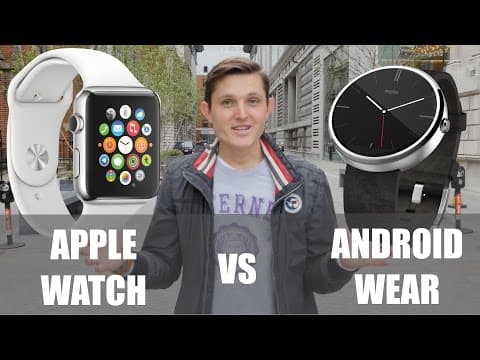
In-Depth Review - Apple Watch vs Android Wear
This video presents an in-depth comparison between the original Apple Watch and Android Wear smartwatches, including the Moto 360 and Asus ZenWatch. Sander Saar reviews the unboxing, physical hardware, internal components, display quality, and battery performance across the devices. The review further evaluates daily software use cases, covering watch faces, messaging, fitness accuracy tests, travel navigation, productivity, and third-party app ecosystems.
Watch on AgentCDNChapters
Introduction and original 1995 Apple watch
Sander introduces the head-to-head comparison between the newly released Apple Watch and Google Android Wear, showing an original promotional Apple watch from 1995 as a historical contrast.
Try-on experience and three Apple Watch models
The host reviews the in-store try-on experience and breaks down the three tiers: Apple Watch Sport, stainless steel Apple Watch, and the luxury 18-karat gold Apple Watch Edition, alongside casing sizes.
Apple Watch unboxing
A quick look at what comes inside the Apple Watch packaging, including the storage case, dual strap sizes, folding UK adapter, and magnetic charging cable.
Industrial design and hardware interaction
A detailed comparison of hardware design, looking at interchangeable bands, the Digital Crown, Force Touch, speakers, and competing Android Wear watches like the Moto 360 and Asus ZenWatch.
Internal hardware, display specs, and battery
An examination of internal components, comparing Wi-Fi connectivity, the Taptic Engine versus vibrating motors, display PPI, heart rate sensors, and battery life alongside chargers.
Watchfaces and timekeeping
Comparing timekeeping capabilities and dial customization between the curated, complication-rich Apple Watch faces and Android Wear's open, third-party watch face ecosystem.
Communications and messaging
Examining notifications and messaging capabilities, contrasting Android Wear's voice dictation with Apple Watch's subtle haptics, Digital Touch sketches, heart rate sharing, and animated emoji.
Health and fitness accuracy test
The host evaluates health tracking, running a field test comparing distance and heart rate metrics across Apple Watch, Android Wear, Fitbit Charge HR, and a Mio Alpha reference monitor.
Travel and navigation features
Exploring smartwatches for travel, highlighting turn-by-turn navigation with haptic prompts, hailing rides with Uber, and digital boarding passes and payments through Apple Passbook.
Productivity and work use cases
The host tests work tools including Evernote, 1Password, and Day One on the Apple Watch while praising Android Wear's contextual Google Now cards for commute traffic.
Family and leisure apps
Looking at leisure applications such as voice-guided recipe guides, Yelp recommendations, Foursquare check-ins, and casual smartwatch games.
Third-party developer ecosystem
Analyzing the developer landscape on both platforms, comparing Apple's curated App Store catalog with the fragmented multi-app setup required by Android Wear manufacturers.
Overall smartwatch experience
Sander reflects on how wearing a smartwatch changes phone usage habits, making tasks like navigation, payments, and quick checks more seamless in daily life.
What's missing and final thoughts
A critique of missing features on both platforms, Apple Watch's high price and Bluetooth slowness versus Android Wear's lack of cohesion, followed by closing remarks and bloopers.
Transcript
Hi everybody, this is Sander from I Believe in Technology, and today we're going to talk about this, the Apple Watch. No, I was actually just joking. We're going to talk about the real Apple Watch that was announced last year and released just this week, and we're going to compare this to the Android Wear and see how they both perform. And are the smartwatches truly going to be the first category in wearables that are going to go in mass market?
To tell To tell the truth, this was the first watch that Apple released in 1995, but not as a separate product, but actually just to help to boost the sales for their hardware and software. If you fancy getting one for yourself, I'm sure you'll find one also on eBay. But today we're going to talk about this, the Apple Watch. It's very important in so many ways. It's the first product that Apple released under the new Tim Cook leadership after 5 years.
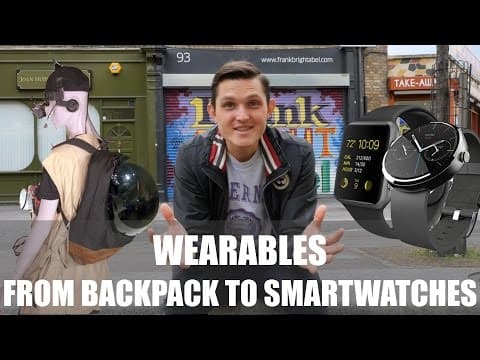
It's a completely new category, completely new hardware, completely new software, and completely new form of combining fashion and technology. And Apple is definitely not first, as they haven't been to any other category, including iPhones, iPods, computers, and so on. If you want to check out my video on the history of wearables and how we got to smartwatches, you can just check out the video here. For Apple Watch, it all starts with experience when you go to shop and, and do the try-on experience.
First of all, you're exposed with all the 3 different models that they're offering. Apple Watch Sport, which has an aluminum body and Ion-X glass, which is the lowest version starting from £299, which is roughly similar in US dollars. The second, the kind of middle option, is Apple Watch, or Apple Watch Classic as some say. It has a stainless steel body and it has a sapphire crystal glass on top of it. These watches start from £450, and in dollars it's about $500, and they go all the way up to £900.
The third option is Apple Watch Edition, which starts from £8,000, which is roughly $10,000, and it goes all the way up to £14,000. Obviously for me, as this is the first generation of watches, I don't want to invest that much because I'm sure they're going to get better with every edition. Yeah. So I definitely wanted to go with the Apple Watch Sport. When trying them on, I really like the Space Gray Edition and the black one, which I really enjoyed. The small one actually is way too small, so I think for most average and large-sized hands, the 42mm will definitely be a better option.
For probably kids and ladies who just prefer smaller items on their wrist, the 38mm will look much better. Rather than a computer on a wrist, it will look like a fashion accessory. So why am I wearing today the white Apple Watch Sport Edition? Simple reason, they sold out and a lot of the models are not becoming available until the middle of May or middle of June. So this is what you have to cope with if you want to get one today. If you manage to get one, in the box you will get everything you need.
You get a case to keep your watch nice and safe, you get 2 size bands for medium and large and a small one. You get, in the UK, you get this new cool slim adapter and obviously the magnetic charger. First of all, let's take a look at design. Apple Watch really looks as a single piece, though it actually isn't. The bands are interchangeable, so you can use one that's rubberized for, for example, doing sports and the leather one for going to work or whichever other occasion you want.
Looking at the watch further, you have two buttons. One of them is actually what they call a digital crown, which works as a scrolling wheel to move up and down in the menus, but also as a button if you tap on it. There's also a slightly bigger button underneath, which you can use to turn the watch on and off, but also have a shortcut to your all your favorite contacts so you can get in touch with them very simply. Talking about the screen, obviously you have the normal touchscreen tapping.
But in addition, they've applied something what they call Force Touch, which actually adds another layer on that screen. So if you hold and push it on the screen, it actually forces you to like another layer and brings another layer of interaction with the watch, which is really cool. It also packs a speaker and a microphone, so you can also use that as a loudspeaker when you're talking with someone or use Siri as a voice recognition. Android Wear really has some beautiful designs as well.
I think one of my favorite smartwatches still by design is Moto 360. It packs this round metal, all metal body with a blended leather band. Some prefer also, for example, Asus ZenWatch because it's a really elegant watch that you can wear even with your suit. Some really like LG G Watch R. Some like Sony watches, Samsung watches. There's something for everybody. The bands are generally not interchangeable, so you can't take them on and off yourself.
You'd have to have special tools for it. And most of the watches pack one button So that helps you usually to go to the menu or wherever you are, to go to the home screen. And the Asus ZenWatch, for example, is buttonless altogether. So they're very similar in terms of interactions that you have also on your phone. What's packed inside of those watches? Obviously all of them have Bluetooth 4.0 radios in order to connect with your phone. Some of them also have Wi-Fi built in.
So for example, Apple Watch doesn't need to be always connected to your Bluetooth when you're at home or work, wherever you have Wi-Fi connection available, and it also makes the experience much faster. And Android watches, only some of them have Wi-Fi built in. They all have Wi-Fi chips, but not necessarily radios in the software enabled in order to do that. Moto 360 has it. Asus ZenWatch, for example, doesn't. Or LG G Watch R doesn't. In addition, in terms of hardware, one of the big differentiators is also the Taptic versus vibrating engine.
So the vibration inside Moto 360, Asus ZenWatch, other Android Wear watches, is really something that you notice even in your meeting. Sees that when you get a notification or email or something else. While Apple Watch packs something what they call a Taptic Engine, which gives you this, or Haptic Engine that brings you this taptic feedback. It almost feels like someone is touching you, so it really brings this new interaction that you didn't have in any other devices. It's much more subtle, so no one can really see or recognize it besides you.
And another big differentiator is also the screen. Apple packs the 302 pixels per inch, which actually makes it this Retina standard, so you can't really distinguish pixels with your own eyes. While Asus ZenWatch is 270 pixels per inch or 278 pixels per inch, and the Moto 360 Watch is only 340. And you can really see the difference when you see those watches in real life. One of them looks really crisp and clear, while the others still look like the phone you had 2 years ago.
They all, both Android Wear and Apple Watch, pack also accelerometer, and inside they also have heart rate sensors, but those differ a lot. The one in Apple Watch is custom-built and uses optical sensors, IR, and green light sensors to detect your heart rate. While the one in Moto 360 is also optical, uses the screen sensor. But for example, Asus ZenWatch is using something they call biosensor technology where you have to put both of your fingers in order to get your heart rate.
But they both are capable of doing that. In terms of processing power, Apple doesn't say, they just say it's Apple S1 processor. But they're all very capable, equally capable, and probably more dependent on software than hardware. With regards to batteries, they will all get you through the day. While Apple Watch will leave you with more than like 30 or 40% before I went to sleep, then Asus and Moto 360 left me with more like 5 to 10% of battery left.
Apple Watch comes with this new magnetic charger that automatically aligns it with the watch, so you don't have to attach anything, and also this nice new compact adapter. Asus is probably most difficult to attach on a charger, but also comes with this nice compact adapter. Moto 360 has a very nice wireless charger, but it's relatively bulky to take with you when you're traveling a lot. Let's talk about functions, because that's ultimately what brings those watches to use or to life.
Apple has been well known for not being first because they want to blend the software and hardware experience in the best possible way. Android has also done some really good job by trying to standardize the Android Wear experience across different devices and different manufacturers. But let's look at the functions all one by one and see how they compare. So the first thing that a watch should do obviously is timekeeping and have those watch faces that you use day in and day out, the first thing you see when you raise your hand.
Apple Watch has really thought through what they have in there. They have something that is really funny, for example the Mickey Mouse that I have here, and you can customize all the different corners on the, on the watch face. Another favorite one is astronomy. Astronomy gives you this perspective of how the planet Earth is situated against the sun and also the other planets in our, in our solar system. And also you can see the moon phase and all the other interesting stuff that actually bring you value and teach you something.
And also you have the simple one where you can customize how much information you have on it, or you have some electronic ones. Android Wear comes with more of graphical designs rather than meaningful design differences in terms of watch faces. You can select from the native experience across like 10 or 15, but you can also use the open ones which are from third-party developers, and some of those are really, really cool.
I think Apple will soon need to do the same thing, open it up to developers in order to make them really exciting. But out of the box, Apple Watch definitely beats Android Wear. But Android Wear at the same time is open, so you can get any watch face you'd like on it. It's just a matter of whether it will work perfectly well or not, whether it will make it laggy a little bit or not. We'll see, but I'm sure there's something for everyone. The second really important side is obviously communications or messaging, and they both do a really good job in bringing the same notifications that you have on your phone to your wrist.
Apple Watch in a very subtle way by having this haptic touching that no one really sees beside or feels besides you. While the Android Wear, most of them use the vibrating engine that everybody can really recognize and say, oh, what was that? Was it an email from a colleague or something? So that's the first differentiator. The second thing is Android Wear doesn't really allow you to do more than just use voice input for responding to messages or text, while Apple Watch has really thought this through much more thoroughly.
They've actually brought new layers of communication, new ways to communicate with your close ones. So for example, if you have a friend, or for example, my partner who has an Apple Watch, You can send them, you can tap them, so you can actually bring something that is really personal to their wrist, that they think about you. Or you can even send your heart rate, the same beat that your heart is beating at the moment, to someone. So it's really, really personal. And you also have those fun new emoticons that you can use, that you can send, which are animated, which are pretty cool.
So it really brings another layer and makes the whole experience much more personal than just emails and messages. On both platforms, obviously we can't undermine the value that they have in terms of voice recognition. That's something that you really get used to with the watch that I wasn't really using on my phone, and they both are great with Google Voice and Siri on Apple Watch. But there's a better, more thoughtful communication package, I'm sure you'll actually enjoy those new features on Apple Watch more.
So the third very important functionality that has been derived from those pedometers and Nike FuelBand and also Fitbit is health and fitness. That's really important for me. While they all are equally good in counting your steps on a daily basis and reminding you to do more exercise, I think Apple Watch adds a really interesting factor to that, which is standing up. As most of my work is done on computer, I really need that nudge that it will give you every hour to make sure that you actually do some exercise or just move around.
But can you actually use those as a meaningful measure for training your heart. I just did a quick test, went for a quick run to see how they all compare. So let's take a look at that example. Besides daily activity tracking, like your steps and your distance and calories, it's really important for me also when I use these devices when I'm doing exercise to understand how my performance gets better. So how my heart strengthens, getting a lower heart rate and managing and training it.
So, so far I've always been using the chest strap until Myo Alpha came out about 2 or 3 years ago, using the optical sensor from your wrist, which has been super accurate compared to a chest strap. So let's use that as a reference. Inside Android Wear, we were testing Asus ZenWatch and Moto 360, and so far they haven't been as accurate compared to the Myo Alpha, so I haven't really kind of used them as a sole device for all my activities and exercise.
Fitbit HR, which I've been quite happy with, and it has continuous heart rate monitoring built in. And then Apple Watch, and see if I'll be able to finally just start using one device for all of my activities. Just before we head out for a run, I just wanted to test the heart rate sensors in a neutral environment using Myo Alpha as a reference. Apple Watch was nearly able to get it right, so just -1 beats per minute difference. Fitbit HR just -2.
For ZenWatch, it's different. You have to have your fingers on the bezel because it's using this new bio sensor in order to get your heart rate as opposed to the optical sensor. Moto 360 was the best in this test, nearly able to get it right perfectly, but they're all really, really good in this neutral environment. And you see the different technologies underneath, all of them using optical sensors apart from Asus. So I'm now back after a quick 25-minute run to figure out how these watches are performing for distance, steps, and heart rate monitoring.
So first of all, distance. My Mile Alpha was connected to Runkeeper app, so obviously very accurate with the GPS tracking of 3.53 kilometers. Asus ZenWatch actually very accurate, 3.5 kilometers showed on the app. Apple Watch showed me 3.4 kilometers, so I don't know what happened there, but it definitely wasn't accurate, as accurate as the others, though it was also connected to a phone that has GPS.
And then Fitbit Charge HR, which was showing 3.52 kilometers as well, so very accurate even without the phone GPS tracking. And then Moto 360, 3.5 kilometers as well. When we talk about heart rate monitoring, which is even more important for going for a run and measuring your heart performance and training your heart, Myo Alpha obviously very good, showing me an average heart rate of 141.
and also showing the continuous graph, which very much matched to the Fitbit Charge HR, showing an average heart rate of 144, and the graph very much matching to the Myo Alpha that was connected to Runkeeper app and Fitbit using its own native app. Apple Watch, as it doesn't offer continuous heart rate monitoring, or at least it doesn't show any of these graphs that it was monitoring it real time, showed me 156 beats per minute on average, which is completely off.
And that really threw me. I don't think that Apple Watch can at this point be taken as a serious device for measuring your exercise. Not to even talk about any of the Android Wear watches. Asus ZenWatch, which didn't show continuous heart rate, it's just doing it from time to time similar to Moto 360 doing it I think every after 15 minutes to give you a kind of overall idea of how many calories you're burning. But this is nothing to really for a 25-minute run.
So, and also wearing a leather band and other things considered, you can't take them as serious exercise devices. Besides fitness tracking, there's obviously a lot of things that third-party developers can bring to the platform. So for example, on the Apple Watch you already have yoga apps which show you the different postures and also count the time, so be your kind of like a personal trainer, if you will. While on Android Wear there are not that many that kind of apps available just yet.
But that's definitely an area that potential in order to develop the health and fitness application on those watches. So the 4th area that those watches are definitely useful is traveling. First thing is you're lost and you just want to find the place you need to go. You just, rather than taking out your phone, you can use the maps on your wrist. Obviously all the Android Wear watches pack the best maps application out there, Google, and you can use your voice to find places.
Apple Maps has actually been really improved over time as well, so I gave them another chance. They're now packing TripAdvisor data and also Yelp data, so you find most of the places. It's really good for navigation. Another layer that Apple Watch actually adds is that it will also give you this nudge when you're, let's say, cycling or walking around that you need to turn, so you don't even have to look at your watch. In travel, also another thing that I would use it for is hailing a taxi or hailing a cab.
So you might be just by the street and you want to get an Uber, I just tried that. It's a one-button thing. Uber has only UberX available though. But you can just get a taxi in a very, very simple way. And it just works. So third-party developers are very useful. It's not available yet on Android Wear, but I'm sure it will come in the future. Another area is when you go flying and you need the boarding pass. Rather than taking out your phone and showing it or printing out the whole boarding pass, you can now use your watch just to show, scan it, and you're on board.
And it also integrates, Apple Watch integrates Passbook. And Passbook is a way that you can use for payments and to get into some of the events and so on. It's all natively integrated now here as well. So for example, when I went to Starbucks and wanted to use a Starbucks card for payment, I could easily just take out my Passbook on my watch, find Starbucks card, scan it, and done, I've paid. Apple Pay, for example, that is also using a different technology, the NFC technology, is not yet available anywhere outside the US, but I'm sure that will be also a really beneficial or a good use case.
On Android Wear, neither of these options are yet available. So there's only very few airlines that have their boarding passes integrated to Android Wear. I haven't had a chance to use that because I'm based in Europe as well. Most of those airlines are US airlines. And also, I wasn't able to use it in Starbucks because it's not integrated yet. But I'm sure, again, as you can see, third-party developers are crucial to make them useful for even traveling. So the 5th use case for a smartwatch is definitely using it at work.
And again, that's where third-party developers come in. For example, I was able to use obviously Evernote and Google Keep notes on Android Wear, but there's not much else used besides kind of getting your email and meeting notifications that I can use. On Apple Watch, you have integration to 1Password, which is a great password manager already. You have Evernote that you can use for work. You can obviously have your calendar and emails coming in. So there is a work use case.
You can also record meetings. From a third-party app developer. There are some great use cases that could also become part of your daily life. Something that I really miss and I really enjoyed on Android Wear is the Google Now integration, especially in work environment. When I'm, let's say, working on a computer, it will give me a notification saying, dude, you need to leave to your meeting because it starts in 30 minutes and you are in heavy traffic. So you definitely have to start going around now or in 5 minutes.
While that is not on Apple Watch, I'm sure that's something hopefully Google will also bring to Apple platform. So the 6th use case for smartwatches for me is this kind of family free time scenario where you're, let's say you're sitting at home, you want to do some cooking, you just scroll a recipe, start, you have a list that you need to go and buy from a shop, and you also have step-by-step guidance just on your wrist so you don't need to even clean your hands. You can just use your voice to get on to the next step. That kind of thing is not available yet on Android Wear, for example, though it's been around for longer.
Another thing is like I want to find a place to go. I can use Foursquare to see where my friends are at, while Android you're just limited at the moment very much to Google applications and there's not that many third-party developers. So you're missing that kind of social layer that really brings this watch to life. Also, for example, gaming. That's something that you already have some kind of trivia crack type of games or tic-tac-toe type of games available on Apple Watch, but not available on Android Wear.
So it's a little bit surprising, but again, Apple Watch seems to be a little bit ahead in terms of having this free time or casual applications. As you can see, developers are key for both of those platforms, and there's a reason why Apple didn't bring out the watch 9 months ago, but it just announced it and actually released it just now, because they just wanted to give some time for developers to develop those apps. So by the time you buy this watch, you actually have some use of it.
While Android Wear came out straight away with the cheapest version in order to get the penetration, and now it's kind of slowly getting up to speed. It is a more tricky route because you now you have all the different developers creating their own apps. For example, from Asus ZenWatch, I have to have the Android Wear application on my Android phone. I have to have an Asus ZenWatch app. Inside that Asus ZenWatch app, I have Asus ZenWatch Wellness app. I have Asus ZenWatch messages app, I have Asus ZenWatch health app.
So there's like, so there's like so many things and it's so confusing if it's not like one package. So I think in terms of execution with third-party developers and also bringing out their own software, you really need to give some time. Apple has already had this 9 months to get in, and that's why a lot of those developers already on board. On Android Wear, it's not so much, but that shows you how crucial they are for the success of either of those platforms. They're very, very powerful already as they are, but they're really missing that boost from the third-party developers.
I truly think that smartwatches are here to stay and could be the first category in wearables that will become a mass-market product. The question is just how. I don't think that the solution is just to be the extension of your phone, just do the same thing on your wrist type of thinking. But it's actually to become natively part of your life and add those new layers of communications and also interactive interaction to actually add some more value and think about the platform more than just the kind of another small screen that distracts you.
Actually, both of those devices, but now even more Apple Watch, has helped to keep my phone more in my pocket and have those native experiences. When I'm on the street, I want to hail a cab, I just, that's a logical thing. I don't have to take out my phone. Or when I'm scanning a boarding pass, I don't have to do that. When I'm doing a recipe, I see the next step here. When I'm doing exercise, I see my next posture here. Like all of those things were very, very quickly, even just 3 days, become part of your daily habit. And that's something that on Android Wear I didn't really have that kind of experience.
It doesn't mean that it's a bad watch in, in any way. It's a very nice design. As I said, it's probably still my favorite watch design out there, a smartwatch design out there, but it's just not the package that it will actually become part of my life. What's lacking here in smartwatches, or what can be done better in the future? So first of all, it's obviously the price for Apple Watch. It starts with £299. That's twice as much as the lowest Android Wear, the LG G Watch, for example.
Second thing that I think Apple Watch can do much better is bringing those contextual notifications on your wrist, something that Google now has been really, really good in executing. Those things like, hey, the traffic is really heavy, you need to start leaving soon, or if you're taking a bike, you need to start leave soon, or you have a flight tomorrow, it's really bad weather, you should pack these things. That kind of application is still missing on Apple Watch. And the third thing that is lacking on Apple Watch, I think, is the performance.
The speed is really good when you're on Wi-Fi, but when you're on Bluetooth, you're out and about, it's not great. It reminds me of the kind of first iPhone when you had the EDGE connection, like everything was cool, but it was like slow cool. It might not be ready for the prime time, but it's definitely ready for those early adopters who want to jump on board first to actually develop those experiences and go through that lifecycle of smartwatches becoming something that everybody will have on their hand maybe in a year's time.
What is lacking on Android Wear's side, I think, is this cohesive experience that actually brings together those third-party apps together with Google's own apps and actually offers you this package rather than them all being separate pieces of value or pieces of applications. And also Android Wear could also develop in this kind of intercompatibility standard It's like when I go to run, I definitely want to wear this rubber band. I don't want to have this leather one attached to it when I go to a meeting.
Like when I go for a run with Moto 360 watch, I'm going to end up being with this sweaty leather band also in a meeting. So that's not something that, it has a use case, but it's not really thought through. And also, to make criticism on Android Wear, it's just that there's so much of just shrinking down phone on your wrist thinking, not so much about actually on fundamental level rethinking what a watch can do on your wrist in a native way. And something that both platforms are still very, very early days, obviously, as already mentioned, is the third-party developer support, which is crucial in order to become a mass-market product and to expect everybody to have the watch on their wrist.
So let's see what's going to happen in the next year or two. I'm sure it will be a completely different fight between Android Wear, Apple Watch, but maybe have someone third like Pebble coming on board again and being something, something much more interesting. Thank you very much for watching. I hope you enjoyed this video on Apple Watch and Android Wear. If you also believe in technology, subscribe to this channel and give thumbs up and share with people who think might get some value out of this video.
And I hope to see you next time. Bye! Bye!