








Google Glass From Real Life Perspective - What is it? What do you see? Is it useful?
By Sander SaarPublished Updated Length
Loading YouTube player.
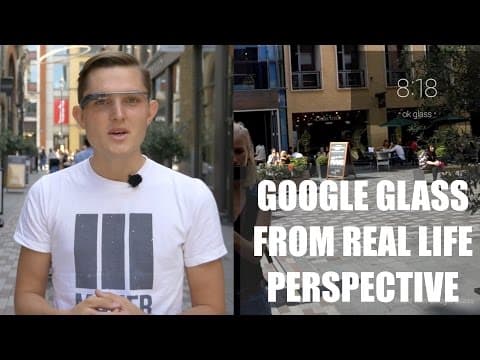
Google Glass From Real Life Perspective - What is it? What do you see? Is it useful?
Sander Saar reviews Google Glass on the streets of London, covering what the device is, what appears on its display, and its practical uses. He describes the asymmetrical frame, battery, computer, camera, and projector, and demonstrates navigation through voice commands and touch gestures. He explains that the 640 by 360 pixel projected screen sits above the eye, resembling a 25-inch monitor without blocking normal vision. Using split-screen and picture-in-picture overlays of the interface, he demonstrates taking photos and 10-second videos, making bone-conduction calls, dictating messages, using map navigation, and running apps such as Shazam, Evernote, Path, Twitter, and augmented reality. He compares Google Glass to smartphones and smartwatches, noting that its £1,000 price, bulky design, and limited developer support hold it back from the mass market, while highlighting first-person filming, hands-free communication, and cycling navigation as its primary uses. After loading directions to Southbank Centre and mounting his bicycle, the video concludes with a first-person montage filmed with Google Glass showing a bridge crossing, a market stall, street performers, a fairground swing ride, and a crowd watching large soap bubbles by the river.
Watch on AgentTVAsk about this video
Chapter summaries
Three questions about Google Glass
Sander introduces his Google Glass review and outlines the three main questions he will cover: what it is, what you see through it, and whether it is useful in daily life.
On screenSander stands in a sunlit paved shopping arcade wearing a white MAKER t-shirt, a lavalier microphone, and Google Glass, speaking and gesturing to the camera. The scene then cuts to an animated title card with red, black, and yellow banners reading 'BROUGHT TO YOU BY SANDER SAAR'.
Hardware and navigation basics
Sander explains that Google Glass is an asymmetrical frame with a metal bezel, battery, small computer, camera, and projector, and demonstrates how to navigate it using voice commands and touch gestures.
On screenSander stands in the shopping arcade pointing to both sides of his Google Glass frame in medium and close-up profile shots. A split-screen view later pairs him on the left with a first-person Google Glass view of a sunlit plaza and a voice command menu on the right.
What you see through the display
Sander describes the tiny 640 by 360 pixel projected screen above his eye, explaining that it looks like a 25-inch monitor on a desk and does not intrude on his normal view.
On screenSander stands centered on the paved shopping street in daylight, speaking to the camera and glancing upward to demonstrate looking at the Google Glass display while pedestrians walk past behind him.
Features, calls, and third-party apps
Sander demonstrates what you can do with Google Glass, including taking photos and 10-second videos, making bone-conduction calls, sending voice-dictated messages, navigating with maps, and using apps like Shazam, Evernote, and augmented reality.
On screenOn a sunny paved London street beside a brown brick building, the host, a young man wearing Google Glass, a small black lavalier microphone, and a white t-shirt with three dark vertical bars and MAKER printed on it, speaks and gestures to the camera. Behind him are white-fronted shops with hanging flower baskets, trees, blue-and-white bunting, bicycle racks, passing pedestrians, and occasional taxis and cars. He is shown in medium shots and close-ups, occasionally touching or pointing to the side of the glasses. At times, the video switches to a split-screen showing the host on the left and the Google Glass point-of-view on the right, which displays a brick wall, a dark wooden door with a silver lock, pedestrians, a small inset of a cameraman, and an overlaid interface with the text Filmed with Google Glass, the time, an ok glass voice prompt, a recording timer, and a list of command options. Later, while the host continues speaking on the street, a picture-in-picture overlay in the top-right corner displays various Google Glass interface screens, including voice command lists, the Path, Twitter, and Shazam logos, a Take a note with Evernote prompt with a microphone icon, and a building information card for St Andrew's Charity School.
Why it matters and what is missing
Sander discusses why Google Glass is an important new form factor compared to smartphones and smartwatches, while noting that its £1,000 price tag, bulky design, and limited developer support keep it from the mass market.
On screenA man stands on a London street in daylight speaking to the camera, wearing a black and silver Google Glass headset, dark trousers, and a white t-shirt with a dark graphic, text reading "MAKER", and a small black lavalier microphone clipped to it. The camera alternates between wider, medium, and close-up shots as he clasps his hands, gestures while talking, and in one close-up raises his right hand to touch the side of the Google Glass headset. A bicycle handlebar is partially visible beside him. Behind him are a cream stone building with tall dark doors and red hanging banners reading "ROYAL OPERA HOUSE", a silver ambulance car with red and yellow markings parked on the left, trees, pedestrians on the sidewalk, and passing traffic including cyclists, a scooter, cars, and black, red, and green taxis.
Daily use and cycling navigation
Sander summarizes the best daily uses for Google Glass, first-person filming for extreme sports, hands-free calls and messages, and cycling navigation, before asking for directions to South Bank and wrapping up the review.
On screenSander speaks to the camera in the street, taps his headset to load directions to Southbank Centre in a top-right interface overlay, and then mounts his bicycle as a black taxi parks behind him.
First-person ride to South Bank
Sander rides his bicycle away and shares a first-person Google Glass point-of-view montage of cycling through London, crossing a bridge, browsing a market, watching street performers, riding a swing ride, and seeing soap bubbles.
On screenA first-person view moves along a paved pedestrian walkway on a bridge over a wide river on an overcast day, passing a white metal railing, pedestrians, and an adjacent road with cars and a motorbike, with boats, a city skyline, and a distant Ferris wheel visible. Throughout the footage, an on-screen caption reads "Filmed with Google Glass". The scene cuts to a market stall where two hands flip through white-mounted botanical and floral art prints in black and red plastic bins, then to a crowded paved square with trees and benches where people watch street performers, including a silver-painted living statue on a pedestal and a performer in a black suit, top hat, and white face paint. Along a shaded paved path beside a wooden structure with stairs and a red sign reading "THE PIMM'S RIVERSIDE B USC", a man in a white shirt, black vest, and tie hands a bright yellow flyer to the camera wearer. The view then shifts to a close-up on a fairground swing ride with a metal floor, hanging chains, and a safety bar as a man in a red, white, and blue striped shirt assists with the equipment. Next, in a paved riverside area with trees and a bridge in the background, a crowd of adults and children watches, films with phones, and reaches up toward large soap bubbles created by a performer near buckets, a basket, and yellow warning signs. The chapter ends with animated graphic title cards on a textured blue-grey background with dark rocky edges, showing red, black, and yellow banners with white text reading "SANDER SAAR BROU" before fading to black.
Transcript
Hi, I'm Sander, and today I'm gonna review Google Glass. Generally, there are 3 things that always come up when I talk about Google Glass. First of all, what is Google Glass? Second, what do I see when I look through Google Glass? And is there any use for it for daily life? What can I do with it? And these are the 3 things I'm gonna cover today.
So what is Google Glass? Google Glass is actually not a glass. There are no lenses on it. It's just an asymmetrical frame around your face. On the left-hand side, there's a metal bezel. And on the right-hand side, there's a battery. There's a small computer with a memory inside here. There's a camera, and there's a projector that you will see on a screen. Well, how you can navigate Google Glass? Obviously, you can use your voice, which is a great thing. So you can always say, OK, Google, to do something.
In addition, you can use the forward, Backward, down, and up gestures, and also to tap to go into menus, you can just tap on it. So what do I see when I look through Google Glass? There's just a tiny projected screen above my eye. It's about 640 by 360 pixels large, and it looks to you as if you were looking at a 25-inch screen or monitor on a normal desk.
The screen is actually not in my way at all. If I want to look at the screen, I just turn my eyes up a little and then I see the screen. Or if I want to look at the camera, I only see the camera. So it's actually not intruding my view at all. So all those videos and photos out there, when you see a small screen on the on a photo, this is not actually how I see the world. So what can you do with Google Glass? I think the first and most exciting things are obviously the first point of view you get through this camera.
So taking a photo is very easy. You can either use the button on top of the left of top of the frame. You can obviously use your voice to say, OK Glass, take a photo, take a picture. Again, you have to say it in the exact way, otherwise it would not react that it's installed on the lens on the on the Glass. The second thing you can obviously do is take a video. You can take a video again by using your voice, for example.
OK Glass, record a video. And now I'm recording a video. OK. The videos are generally 10 seconds, but you can obviously hold the button down, and then the video will last as long as the battery lasts. The third thing that you can do with Glass is that you can make calls and you can receive calls. The interesting thing here is that there is a vibrating conductor inside the frame so that only you can hear the sound through your bones.
No one else around you will hear it. The challenge is obviously in a noisy environment, you can't really hear those calls or those messages that are read out to you. You can obviously then use a headphone uh that will be attached to your Glass, but then again you will look more like a robot, and at that, add more bulk to the to the Glass. In addition, you can obviously receive and send messages. They will be read out to you, and then you can respond by using your voice again, which is a great thing, and I've been using it a lot.
In addition to that, you can also use maps. You can navigate through maps. That's a great way when you're cycling or when you're around the city and you just want to be hands-off and still get your navigations. And in addition, there are some third-party apps on the platform. There are very few at the moment, so you can think of the Glass more like your your standard smartphone without any added features. From third-party apps, uh there are still some useful apps.
Obviously, first to the party were Facebook and Twitter and Path and some of the other social media applications. What I see myself using at the moment most is, for example, Shazam song recognition, which is just you touch on Glass and say, OK Glass, recognize this. And it will start listening to the sounds around you to recognize the sound. Shazam. In addition to that, there's obviously Evernote. That's a very simple way to just take a note while you're on the move.
Um, and then, but where I see the biggest potential probably is all those augmented reality apps. So when I look at some kind of building, I would see information around it that would be overlaid to the reality that I have. Um, and I think that's the biggest potential of the use for Google Glass in the future. So why is Google Glass so important, and why everybody's talking about it? Google Glass poses a completely new form. You have your smartphone in your pocket. You have phablet tablets, and also phablets, which are everything in between.
Now also Google bringing out their own smartwatch. Platform, and also Apple due to do that very soon. But Google Glass itself is a completely new form. There's no one else who has been exploring that area. That's why Google also calls that Explorer Edition. That's why it's not really ready for the prime time. So what's missing? First of all, the price tag. It's £1,000, or really €1,200 roughly, which makes it really not not the kind of mass market product.
In addition to price, it's also bulky. If you look at it, I think there's very little people who are gonna wear that every day. At the moment, it just draws so much attention that you even sometimes feel uncomfortable. In addition to that, obviously there's missing developer support. There's only very few developers who brought out their their apps to Glass. And everybody's just experimenting and exploring. So once that picks up, I think you still really need that support in order to be ready for the prime time.
What kind of daily use does Glass really bring us today then? I think first and the most exciting thing, obviously, is the first camera point of view for filming and taking photos for extreme sports, skydiving, motocross, and so on. The second thing, obviously, is taking calls and and and messages while you're on the move and also responding to them just using your voice. Again, that's a completely new user experience or interface uh with the device.
And in addition to that, what I feel actually what is most exciting about Glass is actually the navigation part, something that I find myself using every day. So I cycle a lot. And it's very easy to just tap your Glass and say, OK Glass, OK Glass, get directions to South Bank. And that's it.
Now I have my directions, and they're loaded in my face, and I'm ready to go. So I hope you really enjoyed that review. And when you want to see more of them, just subscribe and let me know what you want to hear about. Thank you. OK Glass, stop recording.