









Google Glass From Real Life Perspective - What is it? What do you see? Is it useful?
By Sander SaarPublished Updated Length
Loading YouTube player.
Google Glass From Real Life Perspective - What is it? What do you see? Is it useful?
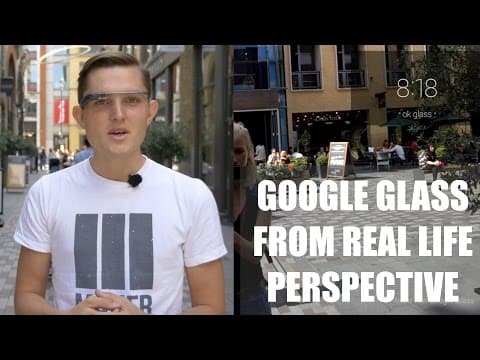
In this review filmed in London, Sander Saar explains how Google Glass functions, including its hardware design, projected display, and touchpad and voice navigation. He demonstrates features such as hands-free photo and video capture, bone-conduction audio, turn-by-turn directions, and third-party applications. The video also examines the drawbacks of the device, including its high price and bulky form factor, before concluding with first-person perspective footage recorded directly with Google Glass while cycling and walking through the city.
Watch on AgentCDNChapters
Introduction to Google Glass review
Sander introduces his review of Google Glass, outlining the three key questions he plans to answer.
Hardware overview and navigation
Sander explains the hardware components of Google Glass, including the frame, projector, touchpad, and voice navigation gestures.
Display and visual field of view
The host discusses the projected display resolution, how it appears like a 25-inch monitor, and clarifies that it does not block his normal vision.
Features: photos, video, audio, and navigation
Sander demonstrates taking photos and recording videos hands-free, explains bone conduction audio and messaging, and highlights turn-by-turn navigation.
Third-party apps and augmented reality potential
The host evaluates third-party apps like Shazam and Evernote, expressing excitement for future augmented reality overlay capabilities.
Form factor, pricing, and drawbacks
Sander examines the device's unique form factor against other wearables, pointing out drawbacks like the high price tag, bulkiness, and limited developer support.
Daily use cases and navigation demo
Sander outlines everyday use cases for Google Glass and demonstrates hands-free voice directions to South Bank before concluding his review.
Real life footage filmed with Google Glass
A montage of first-person perspective footage recorded directly with Google Glass shows cycling through London and walking along the South Bank.
Transcript
Hi, I'm Sander, and today I'm going to review Google Glass. Generally, there are 3 things that always come up when I talk about Google Glass. First of all, what is Google Glass? Second, what do I see when I look through Google Glass? And is there any use for it for daily life? What can I do with it? And these are the 3 things I'm going to cover today.
So what is Google Glass? Google Glass is actually not a glass. There are no lenses on it. It's just an asymmetrical frame around your face. On the left-hand side, there's a metal bezel, and on the right-hand side, there's a battery, there's a small computer with a memory inside here, there's a camera, and there's a projector that you will see on the screen. Well, how you can navigate Google Glass? Obviously, you can use your voice, which is a great thing, so you can always say, OK Google, to do something.
In addition, you can use the forward Backward, down, and up gestures, and also to tap to go into menus, you can just tap on it. So what do I see when I look through Google Glass? There's just a tiny projected screen above my eye. It's about 640 by 360 pixels large, and it looks to you as if you were looking at a 25-inch screen or monitor on a normal desk.
The screen is actually not in my way at all. If I want to look at the screen, I just turn my eyes up a little and then I see the screen. Or if I want to look at the camera, I only see the camera. So it's actually not intruding my view at all. So all those videos and photos out there when you see a small screen on a photo, this is not actually how I see the world. So what can you do with Google Glass? I think the first and most exciting things are obviously the first point of view you get through this camera.
So taking a photo is very easy. You can either use the button on top of the left, top of the frame. You can obviously use your voice to say, OK Glass, take a photo, take a picture. Again, you have to say it in the exact way, otherwise it would not react, that is installed on the Glass. The second thing you can obviously do is take a video. You can take a video again by using your voice, for example, OK Glass, record a video.
And now I'm recording a video. The videos are generally 10 seconds, but you can obviously hold the button down, and then the video will last as long as the battery lasts. The third thing that you can do with Glass is that you can make calls and you can receive calls. The interesting thing here is that there's a vibrating conductor inside the frame so that only you can hear the sound through your bones. No one else around you will hear it. The challenge is obviously in a noisy environment, you can't really hear those calls or those messages that are read out to you.
You can obviously then use a headphone that will be attached to your Glass, but then again, you will look more like a robot, and at that, add more bulk to the Glass. In addition, you can obviously receive and send messages. They will be read out to you, and then you can respond by using your voice again, which is a great thing, and I've been using it a lot. In addition to that, you can also use Maps. You can navigate through Maps. That's a great way when you're cycling or when you're around the city and you just want to be hands-off and still get your navigations.
And in addition, there are some third-party apps on the platform. There are very few at the moment, so you can think of the Glass more like your standard smartphone without any added features. From third-party apps, there are still some useful apps. Obviously, first to the party were Facebook and Twitter and Path and some of the other social media applications. What I see myself using at the moment most is, for example, Shazam song recognition, which is just you touch on Glass and say, OK Glass, recognize this, and it will start listening to the sounds around you to recognize the sound.
In addition to that, there's obviously Evernote. That's a very simple way to just take a note while you're on the move. And then, but where I see the biggest potential probably is all those augmented reality apps. So when I look at some kind of building, I would see information around it that would be overlaid to the reality that I have. And I think that's the biggest potential, the use for Google Glass in the future. So why is Google Glass so important, and why everybody's talking about it?
Google Glass poses a completely new form. You have your smartphone in your pocket, you have phablet tablets, and also phablets, which are everything in between. Now also Google bringing out their own smartwatch. Platform, and also Apple due to do that very soon. But Google Glass itself is a completely new form. There's no one else who has been exploring that area. That's why Google also calls that Explorer Edition, and that's why it's not really ready for the prime time.
So what's missing? First of all, the price tag. It's £1,000, or really €1,200 roughly, which makes it really not, not the kind of mass-market product. In addition to price, it's obviously bulky. If you look at it, I think there's very little people who are going to wear that every day. At the moment, it just draws so much attention that you even sometimes feel uncomfortable. In addition to that, obviously there's missing developer support.
There's only very few developers who brought out their apps to Glass. And everyone is just experimenting and exploring. So once that picks up, I think you really need that support in order to be ready for the prime time. What kind of daily use does Glass really bring us today, then? I think first, and the most exciting thing obviously, is the first camera point of view for filming and taking photos for extreme sports, skydiving, motocross, and so on. The second thing obviously is taking calls and messages while you're on the move and also responding to them just using your voice.
Again, that's a completely new user experience or interface with the device. In addition to that, what I feel actually what is most exciting about Glass is actually the navigation part, something that I find myself using every day. So I cycle a lot. And it's very easy to just tap your Glass and say, okay Glass, okay Glass, get directions to South Bank.
And that's it. Now I have my directions and they're loaded in my face and I'm ready to go. So I hope you really enjoyed that review, and when you want to see more of them, just subscribe and let me know what you want to hear about. Thank you.