












WearOS vs WatchOS - Google Pixel Watch vs Apple Watch - Real Life Perspective
By Sander SaarPublished Updated Length
Loading YouTube player.
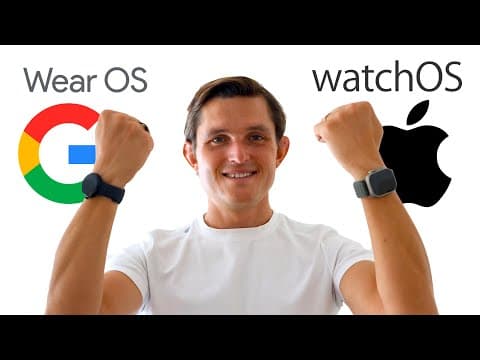
WearOS vs WatchOS - Google Pixel Watch vs Apple Watch - Real Life Perspective
This video presents a real-life comparison between the Google Pixel Watch running WearOS and the Apple Watch running WatchOS. Host Sander Saar evaluates both platforms across health and sleep tracking, smartphone extension features, standalone capabilities like cellular calling and smart home controls, and hardware specifications including battery life and display size. The analysis concludes by reviewing the development history and maturity of each smartwatch ecosystem.
Watch on AgentCDNChapters
Intro WearOS and watchOS development
Sander Saar outlines the history of Android Wear, Wear OS, and Apple watchOS, introducing a direct real-life comparison between the Google Pixel Watch and the Apple Watch.
Fitness and sleep tracking
The comparison focuses on health monitoring, detailing sleep tracking accuracy, ECG sensors, activity metrics, ecosystem lock-in, and Fitbit's paywall versus Apple Health.
Extension for smartphone
The video evaluates how well both watches work as extensions of the phone, including device finding, remote camera triggers, and music controls.
Standalone use cases
The review investigates using the watches away from phones, comparing cellular calling, audio clarity, mobile wallets, smart home controls, voice assistants, and third-party app availability.
Hardware comparison
The physical hardware is examined, highlighting processor age, battery life, display sizes, haptics, and water spray resistance tests.
Conclusion
Sander summarizes the state of the two smartwatch platforms, contrasting Apple's maturity against Google's nascent offering before concluding the video.
Transcript
Google was actually the first to enter the smartwatch space in 2014 when they launched Android Wear that was later renamed to Wear OS. That was full one year ahead of Apple launching their watchOS and Apple Watch first generation. What's been happening since then? Google launched together with more than 10 manufacturers including my favorite Moto 360 watch at the time. But after about a couple of years they lost almost all of the manufacturers to now just just Fossil and Montblanc making Wear OS watches.
All at the same time, Apple have been continuously every year iterating on the Apple Watch as well as developing new Apple Watch OS operating system every year. But now when I thought Google is actually putting this to another one of those, you know, killed by Google graveyards together with the other products, they actually found a renewed interest in wearables. Let's go beyond the phone to what we believe is the next evolution of mobile computing, the smartwatch.
Today I'm excited to tell you about the biggest update to Wear OS ever. They went out and acquired Fitbit. That was the largest fitness trackers out there, and that's now part of Google, as well as partnered with Samsung. Instead of developing their own operating system, Tizen, that was powering Galaxy Watches, they wanted to build an operating system together with them. Samsung and Google have a long history of collaborating. From the early days of Android, whenever we've tackled problems together, the ecosystem has grown for everyone.
Now, 7 years later since I made my first video comparing the watchOS as well as the Wear OS platforms, I wanted to go back and see what it's like from day-to-day real-life perspective. What are the use cases of the smartwatches and how well each of them, including watchOS and Wear OS, are competing now. I've been using both of those smartwatches for 2 weeks side by side, comparing and contrasting them in my day-to-day use.
And rather than focusing on the specs and the looks, which I'm sure will get better in both of the cases, I want to focus on the real-life utility and the value that smartwatches bring for your day-to-day use. I've broken it into 3 sections. One is fitness and sleep tracking. The second one is extending your phone. And the third one is using watch as a standalone device. And when I'm going through each one of them, I'm gonna compare and contrast the Wear OS together with the Pixel Watch against Apple Watch and the watchOS.
First, let's talk about one of the most important use case for most people when they're buying a smartwatch. That's fitness and sleep tracking. And this is an area where both of those platforms and their watches really shine. Fitbit obviously has been in the space for quite some time And the experience that you get on Pixel is very similar like the Fitbit Sense, kind of ported over together with the apps and interface on a Pixel Watch integrated into the Wear OS. They're both great in most of the fitness tracking, including great sleep tracking.
I compared Oura Ring together with Apple Watch as well as Pixel Watch. They all get very similar data points in terms of when do you go to bed, when do you wake up. The sleep cycles obviously differ because they are defined differently for each of the platforms. But including measuring the heart rate, the lowest heart rate, average heart rate, together with fitness, doing exercise as well as sleep, is just point accurate between Apple Watch, Pixel Watch, as well as Oura Ring.
They also both support ECG. Great. On both of those watches, you can generate a PDF and send it to your cardiologist if you ever need to do that. They also have both very accurate GPS. So when I was measuring distances going on their own, just using the watch, The GPS was very accurate for both of those platforms. While they're doing both the basics really well, what is missing from the Pixel Watch or the Apple Watch when we compare those 2?
One big thing, a gripe that I have with Pixel Watch and Fitbit is that all of those metrics are exactly the same regardless of the workout type you choose. So you always get your pace, your heart rate, your distance, your time, your calories and energy spent, but there's no workout-specific data points. That includes, you know, going to gym. There's no need to measure distance because in the gym you're not really moving around as much as it's important to move, measure your heart rate and your calories.
For example, going for a hike, you want to know your altitude because that's critical for your blood oxygen levels, for example. Or you're going to surf. While I get my surf distances on the water through the Pixel Watch, it's actually irrelevant because I really want to see the wave and my paddle distance, which is specific to the workout. So it does have a ton of workouts listed in the workouts app on the Fitbit and the Pixel Watch, but a lot of them are just doing almost exactly the same thing by just turning on and off a couple of the sensors or measurements, but not really giving you specific data.
And that's where Apple Watch really shines. For most of the specific activities, you have apps that are built for that. So if you go hiking, there's AllTrails that's built for Apple Watch. You can follow your track, you know, you know when you're going off track, you can see the altitude. And you can have the hiking-specific data points for you. Or if you go surfing, or if you go skiing, you can have the specific measurements of the slopes you've gone down, or how many you've gone up, and what's the speed you've gone down, rather than just overall seeing the speed and distance, which is kind of irrelevant if you aggregate it together without breaking it down.
So having that ecosystem of apps also in the fitness space is really critical, because fitness can't, Fitbit themselves can't build all of that. So you need third-party developers to come aboard to do that. Other things when you compare the 2 platforms is blood oxygen. Blood oxygen should be coming to Pixel Watch. It's not yet on the platform, so hopefully it's coming soon, but it still will still be missing skin temperature sensors, which are both enabled and available on the watchOS and Apple Watch.
One note for the people who are interested in measuring their heart health is that Apple Watch has got always-on AFib detection, while on the Pixel Watch and Fitbit you need to trigger it on your own. It's not always on in the background. Now I'm getting to some of the things which I think are bigger issues for the longevity of the platform. And the first is that Fitbit is a completely closed ecosystem. There is no way to import your data into the platform unless they made that specific integration to that specific manufacturer.
And there's no way to get your data out of Fitbit unless you use third-party apps that can be the bridge between Fitbit and, for example, Google Fit. So Google Fit and Fitbit themselves don't even talk to each other. And why I'm concerned about that is if someday you might decide to use another activity tracker like Garmin or move completely away from the platform, there's no way to, you know, have that data in one central place as you do with Apple Watch case. Apple Health is the central source of truth that brings together your data from your Apple Watch as well as all the other trackers and measurements like Oura Ring and your scales that you might be using to have one cohesive view and one central place where I could export that data and take it with me if I decide to not use Apple Watch in the future, for example.
Another major challenge for me is is Fitbit putting a lot of the metrics behind a paid premium paywall. And for me, it makes no sense. Things like getting your breathing rate and resting heart rate and SpO2 measurements, you have to pay Fitbit Premium to see those measurements. I think it would be fine if it just focused on content like it is with Fitness+. You get all of the tracking and all of the measurements from the watch, but if you want the Fitness+ training content and the guided personalization, you pay a monthly fee for that.
I would be fine if Fitbit Premium did the same thing, that it gives you all the measurements, because I pay $350 for the watch and I have to pay additional $80 every year just to see the measurements that I'm getting from the watch. So for me, this is a non-starter and makes the watch actually pretty expensive in the long run. I'm fine if they keep it in the content and you pay extra for it, but it seems like that's where Google and Fitbit business models are colliding, because Fitbit has already got a pretty large ecosystem of devices and users already out there who are paying.
And it's hard to say no to that revenue. I wish in the future that they'll be also integrating it to Google One subscription, which I already pay for as well, rather than having it as a separate Fitbit subscription. Second major use case for a smartwatch is extending your phone, kind of acting like a remote control and helping you do things better on your phone by using your smartwatch. The first thing is, I lost my phone, where is it? Both have a built-in shortcut for ringing your phone and finding it.
Once you've found it, another thing that I use it a lot for is taking photos. So once you set up your phone somewhere to take a picture, then you can use your watch as a remote control to take that photo instead of using a timer. And the third area is media controls. You might be walking around your house to skip to the next song or play and pause music or answer your calls on your wrist. This is a great way, both do a really good job in using it as a kind hands-free to transfer calls, as well as using it as a media control when you're playing audio through your speakers outside.
Third area, or the value that smartwatch brings, especially the last 3 to 5 years, has been to completely leave your phone home and just use watch as your main device when you go out of the house. They both do really well on the basics, meaning showing you the time and the timer and the stopwatch, as well as setting alarms. But where they really differ is almost everywhere else. Let's first talk about the cellular calls and messaging.
Both support cellular for the same price. They start at $350 and $399 for, or $400 for both of the cellular versions. However, the microphone and speaker on the Apple Watch are almost like twice as cleaner and twice as louder compared to the Pixel Watch. They're fine, they're okay, you'll get by with it, but they're not great. Here's what the audio sounds on the Pixel Watch from about a foot away, and here's how the audio sounds from about 3 feet away.
Here's how the audio sounds on the Apple Watch from about a foot away, and here's how the audio sounds on the Apple Watch from about 3 feet away. Another area when you go out and about is using your wallet, you know, doing the payments. Double tapping on the watch, double tapping on this watch, both credit cards show and you can just tap using the NFC and pay for stuff. But if you go above and beyond anything else, Apple Watch brings the full Apple Wallet support, meaning all of your loyalty cards, all of your passes and access cards to concerts and tickets, et cetera, they're all integrated boarding passes on your Apple Watch.
While on the Pixel Watch, you see them on the phone, but only the payment cards are ported over to your watch. So you cannot actually use any of the additional passes on your watch. Another area for me is home control. You know, unlocking the door, closing the door, turning on the lights, turning off the lights, And that's where Apple Watch has got the full Home app capability also built on the watch. While on the Pixel Watch, I'm lacking that. I see all the items, and as soon as I go into, for example, my lock, it says open it on your phone.
So while the Home app is there, it's beta, and most of the functions you cannot actually use standalone on the watch. They have to be opened on your phone to control them. Unless you're using Google Assistant, and that's where Pixel Watch really shines. They brought the full full Assistant support to the watch. So you don't need to really use your phone for any Assistant support. So you can control your home using Assistant to open and lock the doors or turn on and off the lights, but you cannot do that through the Google Home app.
While the Assistant on the Apple Watch is still Siri, it's great for doing the basics, you know, giving them a task on the operating system to open, close the doors, turn on and off the lights. It works great, but the knowledge base of Siri is just really poor. And that's where Google really shines. As an assistant on your wrist. Another area that both the watches do really well is email and calendar. You can receive emails, send emails, you can dictate emails, you can see your calendar events, approve or decline them straight on the watch, and that works perfectly for both of them.
Where it breaks down is if you start using third-party apps, for example Facebook Messenger, that does have an app for Apple Watch but does not have a version for watchOS. So even if you get the notifications, the notifications are not going to be rich. You just see the text or somebody sent a photo, you can't even see the preview Not to even talk about responding to them. Another use case where I'm on the go with my watch is listening to music, podcasts, and audiobooks. While there is an app from Spotify for Pixel Watch, it's actually completely disjointed from the phone app.
You even have to log in separately in the browser on your phone, not just use the Spotify app to log in on your watch, which is really confusing because if you want to download stuff, you actually have to open the Spotify app on your watch, which is not a great place to navigate to download playlists, or download podcasts. While on the Apple Watch, the execution is different. It's directly linked to the Spotify app on your phone, so you can easily download playlists, music, songs, or podcasts directly to your watch.
And this gets me to a wider third-party app support challenge, where Apple has made almost all of their first-party apps available on the Apple Watch. Google hasn't done that even themselves. For example, Google Tasks, Google Recorder, which is awesome on the Pixel Watch, is missing. Or Google Photos, that's also missing on the Pixel Watch. So even Google themselves has got a lot of work to do. Not to talk about third-party developers. For example, Audible, who's got one of the biggest audiobooks libraries out there, has got an app for the Apple Watch to download all your books offline.
There's no way to do that on the Pixel Watch. And that extends to other third-party apps. For example, third-party weather apps or task management apps or delivery tracking apps, which are many of them available on the Apple Watch and watchOS, and they're not available on the Wear OS at all. Not to even talk about Google's own stuff. There's no calculator app. You have to download a third-party calculator app to have it on the Pixel Watch. And that extends also to complications. A lot of the complications, even from Google own, are not available on the watch.
And those who are, are almost always exclusively from Google. While there's Apple Watch complications ecosystem, which has been around for several years, and you can turn this watch from a normal fitness activity or utility watch to, for example, a complete surf computer or dive computer or hiking computer, because all of those elements have been developed by the app developers for a while. The areas where the Pixel Watch and Wear OS are lacking in the software department are actually just amplified in the hardware department.
It's built upon a 2-year-old Samsung Galaxy Watch chip, which provides a pretty laggy and buggy experience when you're launching a lot of the apps, especially the third-party ones. In addition, the battery life is subpar compared to the market, especially coming from the watchOS and Apple Watch ecosystem. You get about 1 hour GPS-tracked activity and sleep tracking, and that's about it for the day. If you do any more than that, you have to charge your watch more than once a day.
Contrary to Android's values, which is there's always a size and shape that fits everybody, there's just one size fits all in the Pixel Watch case. It's the smallest size and it's round shape. There's no way to get any other ones today. It's compared to the Apple Watch, the smaller one, 41mm, even feels tiny compared to that because of this tiny screen size, which is not able to surface as much information as the small Apple Watch is able to.
On top of that, there's limited accessories that are available for the smartwatch, most of them developed by Google itself. I'm sure there's going to be a third-party ecosystem, and I'm sure there's going to be more shapes and sizes available from Google in the future. And to nitpick on the hardware side, I wish it had a better microphone. I wish it had a better speaker so I could use it more as a hands-free device. Also, I wish it had a better vibrating or taptic engine inside. I love how Apple Watch is mimicking the touch of a finger on your wrist, while this one is like a vibrating box on your wrist, and I don't like that.
Another thing that I was seeing on the Pixel Watch was getting lots of phantom touches, especially when you go to shower. You can see things triggering on and off, you can see different activations of like Do Not Disturb, or sometimes ending in the calendar or navigation apps. And that's something that rarely happens on the Apple Watch. You can just spray anything on it and it just It very rarely pulls down the notifications but almost never triggers that many phantom touches.
But mostly the first gen is still bound by its software and having the ecosystem, third-party app developer ecosystem around it. So to conclude, while watchOS and Apple Watch with its 8th generation has matured into a really strong platform with the ranges of Apple Watches starting from $250 to $350 all the way to the $700 and $99 with the Apple Watch Ultra, the Pixel and the Wear OS space is still very nascent, even though it started a year before Apple Watch.
I believe Pixel Watch is a great start. It's a fantastic fitness and sleep tracker with some very basic smartwatch capabilities, but it is a disjointed experience even within Google, not to talk about the third-party developer support that is lacking on the platform. I hope that this becomes a serious platform for Google that they're going to continue investing in long-term rather than becoming another 3-year project to Google to see how Wear OS is doing and then abandon it again.
But again, if you're on Android, I believe this is as good as it gets. But coming from the Apple ecosystem and comparing and contrasting them side by side, you can see that the Apple Watch is about 3 to 5 years ahead, not just in hardware, but more in the software and the third-party app ecosystem side. Not to mention the fact that you have to pay on top of the $350 for the Pixel Watch another $80 a year just to unlock the tracking feature, which in my mind is just mind-blowing, but I'm sure they're going to fix a lot of those in their future updates.
Thank you very much for watching this video. I hope you enjoyed it. If you want to see how to best improve your sleep or what is the best sleep tracker, then watch these videos around me here now. Until next time!