











Apple Intelligence redefining how we use our iPhones - here's everything you need to know
By Sander SaarPublished Updated Length
Loading YouTube player.
Apple Intelligence redefining how we use our iPhones - here's everything you need to know
This video provides an overview of Apple Intelligence features in iOS 18 for iPhone. The presenter demonstrates Writing Tools for proofreading, rewriting, and summarising text, alongside Priority Messages in Mail for highlighting important emails and summarising threads. He explains how notification summaries aggregate key information from apps and how Reduce Interruptions Focus Mode filters notifications based on importance. The video covers the upgraded Siri, which supports typing, offers improved context, and integrates with ChatGPT for complex queries. It also shows audio recording, transcription, and summarisation in Notes and during phone calls. For photos and media, the presenter outlines Clean Up for decluttering shots, Memory Movies for generating videos from descriptions, Genmoji for creating custom emojis from photos, and Image Playground for on-device personalised image generation. Finally, the video demonstrates Visual Intelligence on iPhone 16, which uses the camera control button to look up restaurants, run Google searches, or ask ChatGPT about objects.
Watch on AgentTVAsk about this video
Chapter summaries
Writing Tools and Priority Messages in Mail
The presenter introduces Apple Intelligence features, highlighting Writing Tools for proofreading and summarising text, and Priority Messages in Mail for highlighting important emails and thread summaries.
On screenA presenter in a brown jacket over a light blue t-shirt with a small round microphone clipped to his shirt appears in the lower centre, holding a dark iPhone against changing iPhone screen graphics. Behind him are white-background Apple Intelligence promotional screens showing an iPhone lock screen at 9:41, app icons, colourful wallpapers, and app screens including Messages and Mail. The background then displays a Writing Tools interface over a pale yellow document with grey rounded buttons for Proofread, Rewrite, Friendly, Professional, Concise, Summary, Key Points, List and Table, followed by a proofread summary view with Copy, Replace and Share buttons. Next, a white Inbox screen appears with a Search bar and coloured category pills for Promotions, Updates, Transactions and Primary above blurred email rows. This transitions to stacked notification summary cards from News, Reddit and Uber Eats over a pink and purple background, and finally to grey and orange message and News summary cards under a Reduce Interruptions Focus header.
Notification summaries
Notification summaries aggregate essential information from apps, proving useful for messages even if they occasionally take words too literally.
On screenA presenter in a brown jacket and light blue shirt is centred at the bottom of the screen against a blurred multicoloured background. Behind him is a vertical iPhone Focus list with dark rounded rows, each featuring a three-dot menu and a small icon such as a moon, bed, gear, and person. The rows are highlighted in white one by one and are labelled Do Not Disturb with Silence all notifications, Sleep, Reduce Interruptions with On, Personal, and another mode.
Reduce Interruptions Focus Mode
Reduce Interruptions Focus Mode learns which notifications matter to help the user stay focused, unlike Do Not Disturb.
Upgraded Siri and ChatGPT integration
Siri now supports typing by double-tapping the bottom of the screen, answers more questions with better context, and taps into ChatGPT for complex queries after prompting the user.
On screenA presenter wearing a brown jacket over a light blue shirt is centred in the lower foreground in front of a series of iPhone screens. Behind him, the screens display the App Library with Suggestions and Recently Added app icon grids above a keyboard and an Ask Siri search field, followed by a dark podcast video page featuring a host with headphones and a microphone, a Shorts section, and a glowing Ask Siri keyboard. The screens then show Siri web results with a biography card and news article list, a white prompt card offering Search the Web and Use ChatGPT buttons over the video page, and a ChatGPT answer card containing a paragraph of text above the keyboard. Later, in a bright white studio-like setting, the presenter, wearing a brown open shirt over a light blue t-shirt with a small circular microphone, speaks to the camera and gestures with his hands. Behind him, large smartphone graphics show a New Recording interface with a Summary row on a white background, a Summary page with typed text, and a phone call screen with a colourful pink, purple, and orange wallpaper showing a contact photo, a timer, and a call banner.
Audio recordings and call summaries
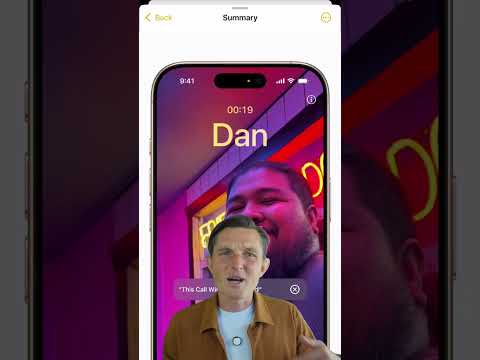
Audio Recordings in Notes can record and transcribe meetings to provide summaries, and the same capability is available for phone calls with an announcement.
On screenThe presenter speaks in the foreground against a white background, with large smartphone graphics behind him showing a New Recording and Summary interface in Notes, followed by a colourful phone call screen.
Photos Clean Up, Memory Movies, and Genmoji
Photos gains Clean Up to declutter shots and Memory Movies to automatically generate movies from descriptions, while Genmoji creates custom emojis from friends' photos.
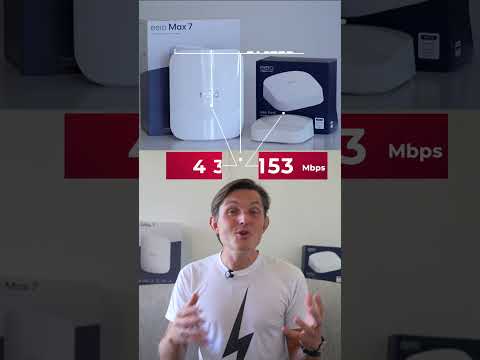
On screenA presenter wearing a brown shirt over a light blue T-shirt speaks in the foreground against changing phone screen backgrounds. The first background shows a photo of a smiling man in a white T-shirt sitting on a grey sofa holding two white rounded devices, with a product box behind him and animated glowing pink, blue, yellow and white highlights moving around the devices. The background then changes to a Create a Memory Movie screen with a pink keyboard and suggestion bubbles, transitioning to a dark blue background with a growing collage of small photos above the presenter's head. Next, a white New Genmoji screen appears with a pink keyboard, person and style selection icons, labels including BETA and Sander, and a generated astronaut character in a white spacesuit helmet. Behind the presenter, a dark image generation interface then displays a glowing pink and blue orb, person icons, and a keyboard, followed by a square-framed astronaut portrait in a white spacesuit against a colourful starry background with suggestions below. Finally, the presenter holds a black smartphone in front of a sunny street scene with palm trees and a shopfront, overlaid with a white rounded restaurant information card for Salt & Straw Ice Cream Shop showing ice cream photos, a 4.5 rating, Tripadvisor reviews, and an Open in Maps option.
Image Playground
Image Playground generates personalized images on-device.
Visual Intelligence
Visual Intelligence on iPhone 16 uses the camera control button to look up restaurants, trigger Google searches, or ask ChatGPT.
On screenIn an indoor room with light-coloured walls, a presenter in a brown shirt over a light blue t-shirt holds a black smartphone in his left hand while speaking and gesturing in the foreground. Behind him, a white restaurant information card over a street background displays ratings, amenities, opening hours, a phone number, the website saltandstraw.com, an address on Abbot Kinney Blvd in Venice, CA, and options for Tripadvisor and Maps. Next, the background shows a large brown acoustic guitar and a mint green guitar against the wall, overlaid with a Google search interface displaying guitar product photos and listings. Finally, an overlay shows a ChatGPT answer card above a pink keyboard interface, with text identifying the brown guitar as a Yamaha acoustic guitar and the green one as an electric guitar, alongside beginner guitar tips.
Transcript
Here are all the Apple intelligence features that might change how we use our iPhones like the touchscreen did back in the day. I've been using the new writing tools for proofreading and summarizing text. It's useful for cleaning up, but too artificial for rewriting in different styles. Priority messages in Mail highlight important emails and summaries of long threads. Similarly, notification summaries aggregate essential info. It's less useful for repeating notifications, but useful for messages, even if sometimes they're weird by taking words a bit too literally.
Reduced Interruptions Focus Mode is now my default all day. Unlike Do Not Disturb, it learns which notifications matter, helping me stay focused. Siri got an upgrade, so you can now type by double tapping the bottom of your screen. With better context, about 80% of my questions get answered without here's a link. For complex queries, Siri can tap ChatGPT to seamlessly provide answers, always prompting you before sharing anything. Audio Recordings is now in Notes to record and transcribe meetings, providing summaries without having to take extensive notes.
Same for phone calls, but with an annoying announcement. Apple added Cleanup to Photos, similar to Google's Magic Eraser, making it very easy to declutter shots. You can even describe a memory and let intelligence automatically generate a movie from your photos. On the fun side, Genmoji lets me generate custom emojis using friends' faces from photos. With Image Playground, you can even generate full images using the personalization abilities, all on device. On iPhone 16, Visual Intelligence allows you to point your camera at a restaurant to get reviews or trigger visual searches with Google or answer questions with ChatGPT.
The new camera control button makes a lot more sense now.