











AI That Controls Your Computer - Clicking, Typing, Scrolling On It’s Own
By Sander SaarPublished Updated Length
Loading YouTube player.
AI That Controls Your Computer - Clicking, Typing, Scrolling On It’s Own
The presenter introduces Anthropic's Claude computer use, an AI that operates a computer by clicking, typing and scrolling on its own. Demonstrations and screen recordings cover everyday and complex tasks, including navigating a personal website to find roles at Anthropic, searching for Yuval Noah Harari's latest book on Amazon, looking for an Airbnb near LA, coding and building a website in Visual Studio Code, controlling phone apps via iPhone mirroring, and acting as an agent in Minecraft. The video also outlines current limitations, noting that the tool is expensive, slow and prone to mistakes such as searching for Yellowstone National Park images while tasked to code. Finally, it explains that the AI is trained to refuse restricted actions including making purchases, sending messages or emails, logging in, creating accounts, completing CAPTCHAs and accessing private information, before showing a Replit demo page for Claude Computer Use.
Watch on AgentTVAsk about this video
Chapter summaries
Introducing Anthropic's Claude computer use
The presenter introduces Anthropic's Claude computer use, an AI that controls a computer by clicking, typing and scrolling on its own.
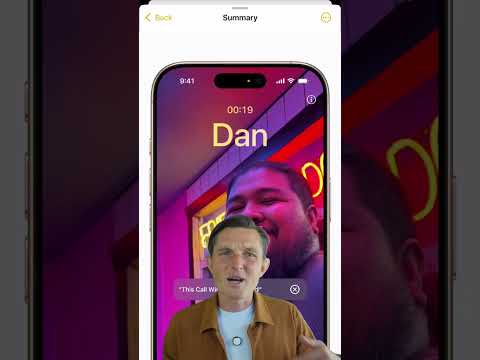
On screenA presenter in a brown jacket and white t-shirt speaks and gestures at the bottom centre of the frame. Above him, a screen recording shows a web browser with a Google search page, a map of San Francisco, and an October 2024 calendar interface.
Job searches, shopping and travel planning
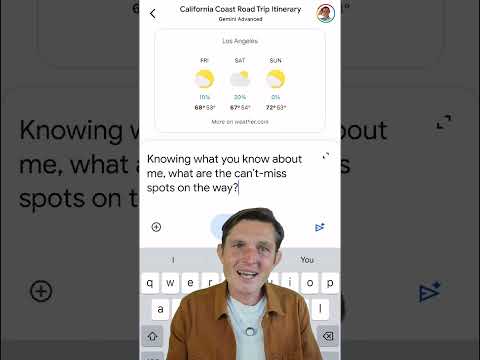
Claude is shown navigating a personal website to find suitable roles at Anthropic, searching for Yuval Noah Harari's latest book on Amazon, and looking for an Airbnb near LA.
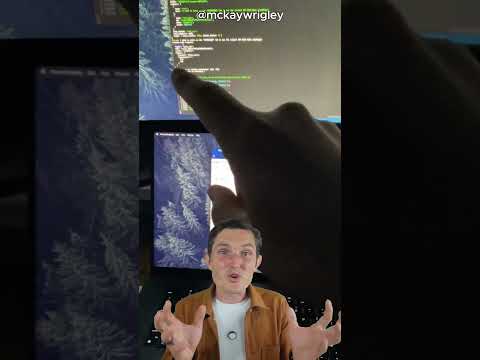
On screenAn indoor presenter in a brown jacket and white t-shirt speaks and gestures at the bottom of the screen. Above them, a screen recording first shows an Airbnb webpage in Mozilla Firefox displaying experience listings and an open calendar date picker for October 2024 and November 2024 alongside a search button. The recording then shifts to a desktop with the macOS dock visible at the bottom, showing a browser with a website, Visual Studio Code opening with code editor panes, and file dialogue windows. Finally, the upper display shows two laptop screens with a dark forest wallpaper, code and terminal text, and a floating mirrored smartphone in the centre displaying app icons and lists as a hand enters to tap and swipe on the phone. The handle "@mckaywrigley" also appears on screen.
Coding, iPhone mirroring and gaming
The presenter highlights complex tasks such as coding and building a website, using iPhone mirroring to control phone apps, and acting as an agent in Minecraft.
On screenThe presenter gestures at the bottom of the frame while the upper recording shows an Airbnb date picker, Visual Studio Code, and dual laptop screens with code and a floating mirrored smartphone.
Limitations, amusing mistakes and restricted actions
The presenter notes that the tool is still expensive, slow and prone to amusing mistakes like browsing Yellowstone photos, and explains that it is trained to refuse transactions such as purchasing, messaging or logging in.
On screenA man with short dark hair, wearing a brown buttoned shirt over a white t-shirt with a small round microphone clipped to it, speaks directly to the camera and gestures with his hands from the foreground of an indoor screen presentation. Behind him, the screen first shows a web browser window with a Google image search results grid of Yellowstone National Park landscapes alongside text about amusing errors encountered during computer use demonstrations. The background then changes to a black presentation slide with a white vertical bulleted list headed "However, I cannot:" detailing restricted actions such as creating accounts, sending emails, making purchases, completing CAPTCHAs, and accessing private information. Finally, the background displays a light-coloured Replit webpage titled "Claude Computer Use Demo" and "Anthropic Computer Use", featuring a header, panels below, a browser-like interface with Firefox, a desktop screen output area, a security alert, and a message input field near the bottom.
Transcript
Next few months are going to be insane. Here's an AI that just doesn't talk but actually controls your computer. Enter Anthropic's Claude computer use, which is just mind-blowing to follow around. Clicking, typing, scrolling, all on its own. Reimagine job search. I asked Claude to navigate to my websites, learn about it, and then find a suitable role at Anthropic. Or something as simple as find the latest Yuval Noah Harari's book on Amazon. Or to find a place on Airbnb for the weekend that's within 1-hour distance from LA.
It literally gives you more hours in a day, not just for mundane tasks, but also complex tasks like coding and building a website shown in their demo. Some pushing the boundaries with iPhone mirroring to take control of your phone to use all your apps, or use it as an agent in Minecraft to build and play for you. Just imagine adding voice to guide it all. It's still expensive and slow, and sometimes makes amusing mistakes like adding a detour from the task to browse photos of Yellowstone. It also has been trained to refuse to do any transactions on your behalf, like purchasing, sending messages, using, logging in, submitting forms, etc.
Let me know how would you use it and if you need a guide to get started.