













Apple Intelligence redefining how we use our iPhones - here's everything you need to know
By Sander SaarPublished Updated Length
Loading YouTube player.
Apple Intelligence redefining how we use our iPhones - here's everything you need to know
This video provides an overview of the Apple Intelligence features introduced in iOS 18. It covers Writing Tools, priority messages, notification summaries, the Reduce Interruptions Focus mode, and the upgraded Siri with ChatGPT integration. Additionally, it highlights audio transcription in Notes, Photos Clean Up, Memory Movies, Genmoji, Image Playground, and Visual Intelligence.
Watch on AgentCDNChapters
Writing tools, priority mail, and notification summaries
The host introduces Apple Intelligence and reviews iOS writing tools, priority messages, and notification summaries.
Reduce Interruptions Focus mode
The host explains how the Reduce Interruptions Focus Mode filters notifications effectively throughout the day.
Upgraded Siri and ChatGPT integration
The presenter demonstrates typing to Siri, contextual query answers, and ChatGPT integration for complex questions.
Audio recording and transcription in Notes
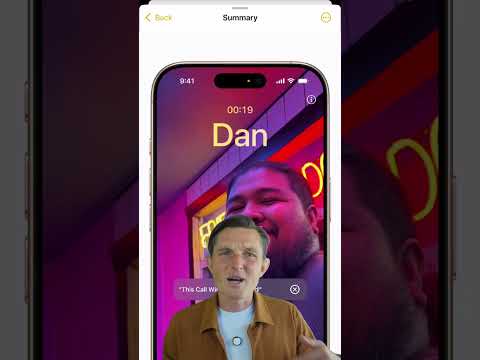
The host discusses automatic audio recording, live transcription, and meeting summaries in Notes and phone calls.
Photos Clean Up, Memory Movies, and Genmoji
The video highlights creative photo tools including Clean Up, automatic Memory Movies, and personalized Genmoji generation.
Image Playground and Visual Intelligence
The host reviews Image Playground image generation and iPhone 16 Visual Intelligence using the Camera Control button.
Transcript
Here are all the Apple intelligence features that might change how we use our iPhones like the touchscreen did back in the day. I've been using the new writing tools for proofreading and summarizing text. It's useful for cleaning up, but too artificial for rewriting in different styles. Priority messages in Mail highlight important emails and summaries of long threads. Similarly, notification summaries aggregate essential info. It's less useful for repeating notifications, but useful for messages, even if sometimes they're weird by taking words a bit too literally.
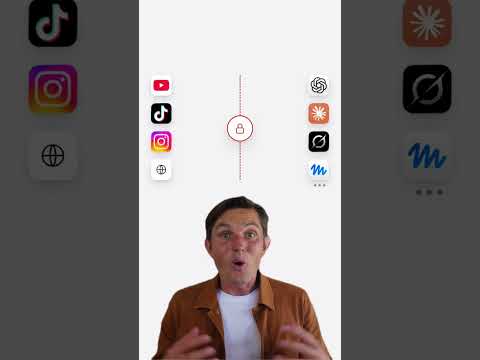
Reduced Interruptions Focus Mode is now my default all day. Unlike Do Not Disturb, it learns which notifications matter, helping me stay focused. Siri got an upgrade, so you can now type by double tapping the bottom of your screen. With better context, about 80% of my questions get answered without here's a link. For complex queries, Siri can tap ChatGPT to seamlessly provide answers, always prompting you before sharing anything. Audio Recordings is now in Notes to record and transcribe meetings, providing summaries without having to take extensive notes.
Same for phone calls, but with an annoying announcement. Apple added Cleanup to Photos, similar to Google's Magic Eraser, making it very easy to declutter shots. You can even describe a memory and let intelligence automatically generate a movie from your photos. On the fun side, Genmoji lets me generate custom emojis using friends' faces from photos. With Image Playground, you can even generate full images using the personalization abilities, all on device. On iPhone 16, Visual Intelligence allows you to point your camera at a restaurant to get reviews or trigger visual searches with Google or answer questions with ChatGPT.
The new camera control button makes a lot more sense now.