













WiFi 7 vs WiFi 6 - Real Life Tests with Eero 7 Max vs Eero 6 Pro
By Sander SaarPublished Updated Length
Loading YouTube player.
WiFi 7 vs WiFi 6 - Real Life Tests with Eero 7 Max vs Eero 6 Pro
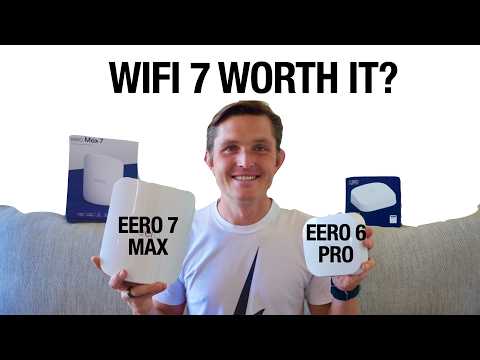
Sander Saar compares Wi-Fi 7 and Wi-Fi 6 by testing the Eero Max 7 against the Eero Pro 6. He begins by contrasting Wi-Fi 7's theoretical 46 Gbps speed with real-world household demand, including average US broadband speeds of 220 Mbps, growing numbers of connected devices, and bandwidth requirements for 4K streaming and cloud gaming. Using on-screen charts and diagrams, he explains three core Wi-Fi 7 technologies: 320 MHz channel widths, multi-link operation (MLO) across frequency bands, and 4K-QAM encoding. He then presents real-life download speed and transmission-rate measurements taken across four locations (next to the router, desk, living room, and outdoor) using single and dual router setups with an iPhone 16 Pro Max, Pixel 9, and MacBook Pro. The results show Wi-Fi 7 delivering over double the speed of Wi-Fi 6, maintaining stronger performance through walls, and increasing speeds on Wi-Fi 6 devices. Next, he compares the hardware specifications of both routers, detailing the Eero Max 7's 2.8 GHz quad-core processor, 2 GB of RAM, 10 Gigabit Ethernet ports, 2,500 square feet of coverage per unit, and support for over 200 devices. He concludes with pricing comparisons and upgrade advice, suggesting Wi-Fi 6 for smaller apartments, older devices, or internet plans under 200 Mbps, and Wi-Fi 7 for larger homes, plans of 500 Mbps or more, newer devices, or networks with over 20 connected devices.
Watch on AgentTVAsk about this video
Chapter summaries
Introduction and overview of the Wi-Fi 7 test
Sander introduces the video, previews the headline speed and wall-penetration results for the Eero Max 7, and outlines the topics covered: Wi-Fi 7's promise, innovations, real-life tests, hardware comparison, and recommendations.
On screenSander sits on a grey couch in a bright room wearing a white t-shirt with a black lightning graphic, with white eero routers and blue and white product boxes behind him. Cutaways show the tall white eero Max 7 and flat white eero Pro 6 side by side on a light table with red speed labels and title graphics, followed by an on-screen list of the video's sections.
Wi-Fi 7 Promise: Theoretical speed vs. real-world demand
Sander contrasts Wi-Fi 7's theoretical 46 Gbps speed with real-world needs, noting that average US household internet speeds have reached 220 Mbps, connected devices have grown from 11 to over 20, and demanding uses like 4K streaming and cloud gaming require consistent performance through walls.
On screenSander speaks from the grey couch with eero routers and boxes behind him. On-screen graphics appear beside him, including a Wi-Fi 4 to Wi-Fi 7 speed comparison table, a multi-line chart of median broadband download speeds by country, a stacked bar chart of average connected devices per US household with device icons, and a list of bandwidth requirements for streaming and calling services.
Wi-Fi 7 Innovation: Three key technologies explained
Sander breaks down the three main technologies behind Wi-Fi 7: doubled 320 MHz channel widths, multi-link operation (MLO) that lets devices use multiple frequency bands simultaneously, and 4K-QAM encoding that packs 20% more data into each transmission.
On screenIn a bright living room against a plain light wall, a man with short brown hair wearing a white t-shirt with a black lightning graphic and a small lavalier microphone sits on a light grey sofa, speaking to the camera and gesturing. Behind him on the sofa are white router devices and dark product boxes, including boxes labelled "eero Max 7" and "eero". A red and white lower-third banner reading "WIFI 7 INNOVATION" appears at the bottom left, followed by a series of inset graphics on the left side of the screen. The first graphic is a channel-width comparison chart with blue, green and light green horizontal bars featuring rocket, car and bicycle icons for "WiFi 7 320 MHz", "WiFi 6 160 MHz" and "WiFi 5 80 MHz", above a channel diagram labelled "Three new 320 MHz channels in the 6 GHz band". This transitions to a black diagram with white router and phone icons and blue frequency bars contrasting "WiFi 6" "Single Link" across "5 GHz or 2.4 GHz" with "WiFi 7" "Multi-Link" and "6 GHz". The inset then changes to a white graphic with green and blue dotted grids and magnified circular insets comparing "WiFi 6" ("1024 QAM", "10 bits/symbol") and "WiFi 7" ("4096 QAM", "12 bits/symbol"). At the end, the inset graphic disappears, leaving the man speaking and gesturing on the sofa with the white router devices and product boxes behind him.
Real Life Tests: Speed tests across locations and devices
Sander tests single and dual router setups across four locations using an iPhone 16 Pro Max, Pixel 9, and MacBook Pro. He compares download speeds and raw transmission rates, showing that Wi-Fi 7 delivers over double the speed of Wi-Fi 6, maintains stronger performance through walls, and even boosts speeds on Wi-Fi 6 devices.
On screenIndoors against a plain light wall, a man in a white t-shirt with a black lightning bolt graphic, wearing a black lavalier microphone, a black watch and rings, sits on a grey fabric sofa speaking to the camera and gesturing. Behind him on the sofa are white eero routers and dark blue and white eero product boxes, including an eero Max 7 box. Early on, an overhead floor-plan graphic of an apartment with wooden floors, furniture and a patio appears in the upper left, with router and laptop icons added across the rooms, alongside a caption bar reading "REAL LIFE TESTS" at the lower left. The man holds up two black smartphones, followed by an overhead shot on a white surface showing the two black smartphones, one with a G logo, and a closed dark grey laptop with an Apple logo, each with a red circular label below it. Returning to the sofa, a coloured bar chart overlay appears in the top right titled "Download Speeds by Location (Mbps)", showing purple, green, yellow and orange bars for WiFi 6 Single, WiFi 6 Dual, WiFi 7 Single and WiFi 7 Dual across Next to Router, Desk, Living Room and Outdoor, with tooltips highlighting each location in turn. The top-right chart then changes to "Transmission Rates by Location (Mbps)" with the same grouped bars and moving tooltips. After a brief shot of the man centred on the sofa without graphics, he is framed on the right while an upper-left bar chart titled "Device Performance Comparison (Mbps)" compares iPhone 16 Pro (WiFi 7), MacBook Pro (WiFi 6) and Pixel 9 (WiFi 7) with highlighting tooltips. Finally, the upper-left chart switches to "MacBook Pro (WiFi 6 Device) Performance by Location", displaying purple and orange bars for With WiFi 6 Dual and With WiFi 7 Dual across the four locations as tooltips highlight each group.
Comparison: Eero Max 7 vs. Eero Pro 6 hardware
Sander compares the hardware specifications of the Eero Max 7 and Eero Pro 6, highlighting the Max 7's 2.8 GHz quad-core processor, 2 GB of RAM, 10 Gigabit Ethernet ports, 2,500 square feet of coverage per unit, and support for over 200 devices.
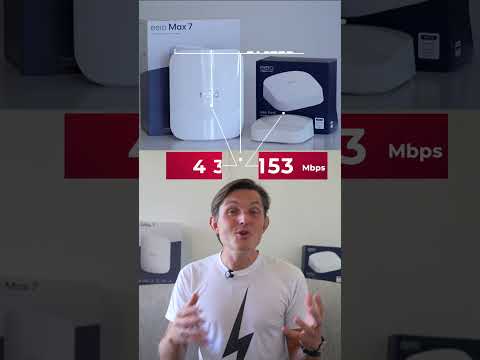
On screenSander introduces the comparison from the grey couch before cutting to front, rear, and side-profile close-ups of the tall glossy white eero Max 7 and the smaller flat eero Pro 6 on a white table. Red graphic overlays with white lines point to each unit to display processor, RAM, Ethernet port, coverage area, and device capacity figures.
Recommendations: Upgrade advice and pricing
Sander advises sticking with Wi-Fi 6 for internet plans under 200 Mbps, smaller apartments, or older devices, while recommending Wi-Fi 7 for 500 Mbps+ plans, larger homes, newer devices, or networks with over 20 connected devices. He also compares the $599 Eero Max 7 against the $249 Eero Pro 6 before signing off.
On screenA man with brown hair wearing a white T-shirt with a black lightning graphic and a small lavalier microphone sits centred on a grey fabric couch against a plain light wall in a bright indoor room, speaking to the camera and gesturing with his hands. Behind him on the couch are white eero router devices and dark blue product boxes, including an eero Max 7 box on the left and an eero box on the right. A lower-third graphic reading "RECOMMENDATIONS" appears briefly, followed by a colourful bar chart in the upper left titled "Download Speeds by Location (Mbps)", showing purple, green, yellow, and orange bars comparing WiFi 6 Single, WiFi 6 Dual, WiFi 7 Single, and WiFi 7 Dual across Next to Router, Desk, Living Room, and Outdoor locations. The view cuts to two white glossy eero routers sitting side by side on a white table against a plain light grey wall, a taller rectangular one on the left and a smaller square one on the right, with red rectangular price labels reading "Eero 7 Max $599 Sale $449" and "Eero Pro 6 $299 Sale $199" above them. After cutting back to the man on the couch, the shot returns to the two routers on the table as animated red and white graphics appear above and between them displaying "433 Mbps", "145 Mbps", "2.2X FASTER", and "1.25X MORE EXPENSIVE". Finally, the man reappears on the couch smiling and gesturing with open and then clasped hands while a white "SUBSCRIBE" button graphic with a bell icon appears in the lower right corner.
Transcript
Wi-Fi 7 delivers 2.2 times faster real-world speeds with peak improvements up to 3 times, given your internet speed is higher than 200 Mbps. In addition, the new Eero Max 7 maintained 80% of its speed through the walls, something that Wi-Fi 6 couldn't achieve. That's the video. You can find the link to get one below. But if you want to understand these numbers and see if it's worth upgrading, stay tuned. Hi, I'm Sander, and I believe in technology.
Today, we're diving into Wi-Fi 7 technology, testing out the new Eero Max 7 against the Eero Pro 6. We'll look at the performance across 4 different locations, test with both Wi-Fi 7 and Wi-Fi 6 devices, and analyze over 300 speed measurements to give you the complete picture of what this upgrade actually means for your network. Wi-Fi 7 arrived with promises of theoretical speeds 4.8 times higher, up to 46 Gbps compared to Wi-Fi 6's 9.6 Gbps.
But we all know that those theoretical speeds rarely match the real-world performance. The average US household internet speed is now 220 megabits per second, up from 72 megabits per second when Wi-Fi 6 launched in 2020. What's changed since Wi-Fi 6? The number of connected devices in an average home has jumped from 11 to over 20, and that's expected to reach 30+ in 3 years. We're also seeing more demanding applications like 4K streaming, cloud gaming, smart home devices adding constant background traffic.
So the question isn't necessarily about the peak speeds, but rather how Wi-Fi 7 handles this increased demand while maintaining performance through walls across multiple devices. Wi-Fi 7 brings 3 major innovations that work together to deliver better performance. First, the channel width has doubled to 320 MHz, compared to Wi-Fi 6's 160 MHz. Think of it like doubling the number of lanes on a highway- more data can flow simultaneously.
This wider channel alone contributes to about 40% of Wi-Fi 7 speed improvements. Second, it introduces multi-link operation, or MLO. Your devices can now use multiple frequency bands at once. Let me break this down. Wi-Fi 6 devices could only use one band at the time, either 2.4 GHz, 5 GHz, or 6 GHz. With MLO, your phone can receive data through both 5 GHz and 6 GHz simultaneously.
It's like having 2 internet connections working as one. If one band experiences interference, MLO automatically shifts more data to the cleaner band. This accounts for roughly 35% of the performance improvement. And third, Wi-Fi 7 uses 4K-QAM encoding, up from Wi-Fi 6's 1K-QAM encoding. This packs 20% more data into each transmission. In real terms, Wi-Fi 6 sends 10 bits per every transmission, and Wi-Fi 7 sends 12 bits every transmission, this gives a 20% efficiency gain and compounds the other improvements.
Combined, these 3 technologies contribute to Wi-Fi 7's theoretical 4.8x speed increase over Wi-Fi 6, but as we'll see in our testing, real-world improvements can actually even exceed this in some scenarios. I tested both single and dual router setups in 4 locations: next to the router for baseline performance, then at my desk, which is one wall away, typical home office setup, then in the living room, which is 2 walls away, using a mesh router, which is a common streaming scenario, and then outside, kind of the worst-case scenario, using a mesh router, testing the range limits.
I used 3 devices to represent different technology generations: the iPhone 16 Pro Max with Wi-Fi 7 support, with Pixel 9 and Wi-Fi 7 support, and a MacBook with Wi-Fi 6 support. Then I did 5 speed tests per device, per location, at different times of the day. Let's look at 2 types of speed tests. First, we'll check the actual download speeds you'd get with your internet service, and then we'll look at transmission rates, which actually shows the true router-to-device speed without being limited by your internet connection.
Download speeds next to the router: Eero Pro 6 achieved 204 Mbps on average. Eero Max 7 more than doubled it, getting 454 Mbps on average. My theoretical maximum with an Ethernet cable to the router is around 660 Mbps, so I'm able to maintain around 70% of the speed via Wi-Fi 7, which is delivering more than double the speed of Wi-Fi 6. If you're paying for a gigabit internet, this difference could be even more dramatic.
Living room performance, 2 walls away using the mesh networking: 6 delivered 121 Mbps on average, while 7 delivered 365 Mbps on average. This is where it gets interesting. Wi-Fi 6 lost almost half of its speed through the walls, while Wi-Fi 7 only dropped by 20% through mesh networking. This is another level for Wi-Fi 7. In real terms, this means that your 4K streaming and video calls will work just as well in the living room as they would do next to the router.
Now let's take a look at transmission rates, which is the direct speeds between your router and your device, which shows the true capability of Wi-Fi 7 without internet speed limitations. Next to the router, Wi-Fi 6 hit 1200 Mbps, while Wi-Fi 7 doubled it at 2,400 Mbps. Through 2 walls, Wi-Fi 6 dropped to 648 Mbps through mesh networking, while Wi-Fi 7 maintained an impressive 2,400 Mbps even through mesh networking.
Outside, Wi-Fi 6 fell to 306 Mbps, while Wi-Fi 7 still delivered double the transmission rate of Wi-Fi 6 at 1,152 Mbps. These transmission rates show the router's raw capability. Imagine it as the size of your home's internet pipes. You know, even though your internet plan might not be this fast, but having larger pipes means better performance when multiple devices are using the network at the same time.
Device-specific performance also revealed fascinating patterns. iPhone 16 Pro supporting Wi-Fi 7 got 122% faster speeds overall. Pixel 9 supporting Wi-Fi 7 achieved 119% faster speeds than Wi-Fi 6. And the MacBook Pro, which actually only supports Wi-Fi 6E, still got 67% improvement. The last point is really crucial. Wi-Fi 7 routers significantly improve performance even for the Wi-Fi 6 devices.
This improvement comes from better signal processing, more efficient band steering, reduced network congestion, and also enhanced beamforming capabilities. The Eero Max 7 brings significant hardware upgrades that enable these improvements. It's got a 2.8 GHz quad-core processor, twice as fast as on the Eero Pro 6. It doubles the RAM from 1 GB to 2 GB. It offers 10 times faster 10 Gigabit Ethernet ports versus a standard 1 Gigabit Ethernet port on Wi-Fi 6 devices and provides 25% more coverage per unit from 2,000 square feet to 2,500 square feet.
And it can also support more than 200 devices versus 75 devices before. Those key technical improvements also include more sophisticated antenna arrays and advanced signal processing, enhanced MIMO capabilities, which we talked about, as well as improved thermal management. So should you upgrade? Let's make it simple. Regarding internet speeds, if your internet plan is under 200 megabits per second, you can stick with your Wi-Fi 6 router.
But if you're paying for 500 megabits per second and faster speeds, Wi-Fi 7 will actually help you get those speeds throughout your home and double from what you're getting from Wi-Fi 6. That's what happened to me. Regarding space for small apartments, Wi-Fi 6 is still great. But if you have a larger home where you need consistent speed throughout walls, Wi-Fi 7's better coverage and better mesh networking makes it worth the upgrade. Regarding devices, if most of your devices are older than 2022, you can stay with Wi-Fi 6.
But if you're using the latest phones and laptops, Wi-Fi 7 will give you noticeably better performance. In addition, when you have more than 20 devices constantly connected, Wi-Fi 7 ensures you still get the performance regardless of the total number of devices connected. At 599, or often on sale for 449, uh the Hero Max 7 is significantly more expensive than the $249 Hero Pro 6, which is frequently on sale for 199.
That's a $250 difference even at the sale price. However, the performance improvement might justify the cost for you. Hope you found this video useful. Let me know if you're looking to upgrade. Thanks for watching, and I hope to see you next time.