













Best Wifi 6 Router - Eero 6 Pro vs Eero 6 vs Google Nest Wifi - WiFi 6 Explained
By Sander SaarPublished Updated Length
Loading YouTube player.
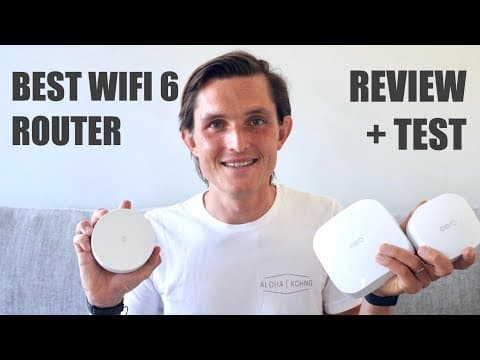
Best Wifi 6 Router - Eero 6 Pro vs Eero 6 vs Google Nest Wifi - WiFi 6 Explained
Sander Saar explains the Wi-Fi 6 standard and compares three mesh routers: the Eero 6 Pro, Eero 6 and Google Nest Wifi. He outlines Wi-Fi 6 features including Multi-User MIMO, OFDMA, Target Wake Time and WPA3 security, then compares the hardware specifications, Ethernet ports, smart home connectivity and prices of the three models, while briefly noting alternatives from Ubiquiti, Netgear and ASUS. Using a 500-square-foot home mesh test setup with 30 connected devices, four locations and four test devices (MacBook Pro 16, MacBook Pro 13, iPhone 11 and iPhone 12 Pro), he presents test results for download speeds, transmission rates and signal strength. The tests show that both Eero 6 routers achieve higher download speeds than the Google Wifi on both Wi-Fi 5 and Wi-Fi 6 devices, with the Eero 6 Pro maintaining the highest speeds over mesh and all three showing similar signal strength. He also compares the Google Home and eero mobile apps, covering eero Secure, promised Apple HomeKit support and Google's free content blocking, before recommending the Eero 6 Pro for larger spaces relying on mesh and the Eero 6 for smaller homes.
Watch on AgentTVAsk about this video
Chapter summaries
Introducing the best Wi-Fi 6 router
Sander introduces the video, naming Amazon's Eero Pro 6 as the best Wi-Fi 6 wireless router and inviting viewers to stay for the real-life test results and cost-saving advice.
On screenA man in a white graphic t-shirt with a lavalier microphone sits on a grey couch against a plain light wall, speaking to the camera and gesturing with both hands. An animated title card with black and red angled banners appears briefly.
What Wi-Fi 6 is and how it works
Sander explains the Wi-Fi 6 standard, its theoretical speed increase to 9.6 gigabits per second, and its key innovations: Multi-User MIMO, OFDMA, Target Wake Time, and WPA3 security, noting its importance as the number of connected devices per home grows.
On screenThe host sits on the grey couch speaking and gesturing while overlaid graphics appear beside him, including a Wi-Fi 6 Certified logo, an evolution line chart, green bar charts, a router-and-devices diagram, a numbered list of innovations, a Target Wake Time timeline, and a WPA3 logo.
Hardware and price comparison
Sander compares the hardware specifications, ports, smart home connectivity, and prices of the Google Wi-Fi, Eero 6, and Eero 6 Pro routers, while briefly noting more complex alternatives from Ubiquiti, Netgear, and ASUS.
On screenThe host, a man with medium-length brown hair wearing a white t-shirt with a small blue graphic and a lavalier microphone, sits on a grey couch against a plain pale wall indoors, speaking and gesturing with his hands. Graphics of various white, blue and black routers, including round models, routers with antennas and a tower-shaped router, fade in around him alongside on-screen text such as "LINKSYS MR73500-AC" and "orbi", before the view moves to a closer framing without graphics. The chapter also cuts to overhead shots of three white routers arranged in a row on a plain light-grey surface: a round cylindrical Google router with a G logo on the left, a smaller rounded-square eero router in the middle, and a larger rounded-square eero router on the right. White label boxes, some connected to the devices by thin lines, appear above and below the routers with on-screen text including "COMPARISON WIFI", "WIFI 5 DUAL BAND", "WIFI 6 DUAL BAND", "WIFI 6 TRI BAND", "1.4 GHz QUAD CORE 4GB / 512MB RAM", "1.2 GHz QUAD CORE 4GB / 1024MB RAM", "BLUETOOTH 4", "ZIGBEE" and "BLUETOOTH 5". The routers are also shown turned on their sides to reveal their undersides and two Ethernet ports on each device, with labels reading "2 ETHERNET ON ALL" and "2 EHTERNET ON MAIN", before returning to a top-down view. Red oval price labels with white text then appear beneath each router, displaying "$99", "$129" and "$229", as well as "$78".
Home mesh test setup
Sander outlines his 500-square-foot home mesh test environment with 30 connected devices, four test positions, and four test devices, two MacBooks and two iPhones, measured using speedtest.net and built-in network tools.
On screenSeated on the grey couch, the host speaks while a blue floor plan diagram of his home with router and laptop icons appears beside him, followed by graphics of two silver laptops, a dark smartphone, a SPEEDTEST logo, and a network details panel.
Download speed comparison
Sander compares download speeds for Eero 6 Pro, Eero 6, and Google Wifi across four locations, showing that the Eero routers are nearly twice as fast near the router and Eero 6 Pro holds up best over mesh.
On screenIndoors, a man with medium-length brown hair wearing a white t-shirt, bracelets and rings sits on a grey fabric couch against a plain light wall, speaking to the camera and gesturing. A SPEED graphic appears in the upper left, followed by a colourful bar chart titled DOWNLOAD (Mbps) on the right side of the frame, featuring blue, yellow and green bars comparing Eero 6 Pro, Eero 6 Wifi and Google Wifi across NEAR, 1 WALL, 2 WALLS (MESH) and OUTSIDE (MESH) positions. The chart later disappears, showing the man alone in a wider view gesturing with both hands. The video then cuts to a top-down view of three white routers arranged in a row on a plain white table, with a small area of wood floor visible at the edge. The left router is cylindrical, and the middle and right routers are rounded squares with eero markings. White line callouts and boxed text above each router display average and mesh speed figures: Avg 207 Mbps and Mesh 46 Mbps, Avg 434 Mbps and Mesh 119.6 Mbps, and Avg 409 Mbps and Mesh 45 Mbps. The view returns to a medium close-up of the man on the grey couch, wearing a small black lavalier microphone at his collar, speaking and gesturing. A colourful bar chart titled TX (Mbps) with blue, yellow and green bars and a red header appears on the left side of the frame, comparing Eero 6 Pro, Eero 6 and Google Wifi across the same four location categories.
Transmission rate comparison
Sander presents the transmission rate (TX) test results between the device and router, noting they confirm the download test findings and further highlight the speed differences.
On screenIndoors on a grey couch, a man in a white t-shirt speaks to the camera in medium close-up, gesturing with his hands. On the left side of the frame, a colourful bar chart with blue, yellow and green bars titled 'TX (Mbps)' compares Eero 6 Pro, Eero 6 and Google Wifi across locations labelled 'NEAR', '1 WALL', '2 WALLS (MESH)' and 'OUTSIDE (MESH)'. The chart fades out and is replaced on the left by a new colourful bar chart with blue, yellow and green bars and a red header, titled 'SIGNAL (dBm)', showing signal values for Eero 6 Pro and Google Wifi grouped by the same locations.
Signal strength comparison
Sander compares signal strength across all tested spots, showing very similar performance among all three routers with Eero 6 and 6 Pro slightly stronger.
On screenIndoors on a grey couch, a man in a white T-shirt speaks to the camera in medium close-up with hand gestures. On the left side of the frame, a colourful bar chart with blue, yellow and green bars is displayed before fading out near the end. The chart is titled "SIGNAL (dBm)" and shows labels for "Eero 6 Pro" and "Google Wifi" across "NEAR", "1 WALL", "2 WALLS (MESH)" and "OUTSIDE (MESH)", alongside numerical values.
Performance across Wi-Fi 5 and Wi-Fi 6 devices
Sander compares download speeds across the MacBook Pro 16, MacBook Pro 13, iPhone 11, and iPhone 12 Pro, noting that even older Wi-Fi 5 devices receive a significant speed boost on Eero 6 routers compared to Google Wi-Fi.
On screenThe host sits on the grey couch speaking and gesturing while a DEVICES title and a colourful download bar chart grouped by MacBook and iPhone models are displayed on the right.
App experience and security features
Sander compares the Google Home and eero mobile apps, noting that Google's migration to the Home app made it more cluttered, while comparing eero's paid eero Secure subscription and promised Apple HomeKit support against Google's free content blocking.
On screenThe host speaks from the grey couch beside smartphone screenshots showing the Google Wifi app, the Google Home app, various screens of the eero app, and a customer support email.
Final recommendation
Sander recommends the Eero 6 Pro for larger spaces relying on mesh connectivity and the Eero 6 for smaller homes, concluding that upgrading to Wi-Fi 6 improves speeds for both new and older devices before signing off.
On screenSeated on the grey couch, the host speaks to the camera with a RECOMMENDATION graphic appearing briefly, then transitions to a light grey end screen with his inset video, watch next and subscribe boxes, and a final wave.
Transcript
Today we'll be looking for the best wireless router using the latest Wi-Fi 6 standard, and it is Amazon's Eero Pro 6. That's it. You can find the link down below and upgrade your existing solution to a much faster and more stable connection. But if you want to know why to upgrade, see the real-life results, and how to save money, then stick around. If you're new here, hi, I'm Sander and I believe in technology.
The new standard called Wi-Fi 6 arrived early 2019 and has been coming to consumer devices since later 2019. For example, iPhone 11 is utilizing Wi-Fi 6 and there's now also consumer routers available since mid-2020. Wi-Fi 6 promises to be more efficient and faster with a theoretical speed being 3 times faster from 3.5 gigabits per second to 9.6 gigabits per second.
But the average US household is only 72 megabits per second, so the Wi-Fi 5 should do just fine, requiring only about 2% of the total capacity. But that's just the theory. Wi-Fi 6 is not about boosting top speed for individual devices as much as it's about improving the network when a lot of devices are connected. The speed and efficiency is achieved through 3 innovations in Wi-Fi 6. Number one, it's utilizing the MU-MIMO, which stands for multi-user multiple input multiple output, used in many routers already today.
Wi-Fi 6 just enhances it, allowing to talk to 8 devices instead of 4 at once. The second innovation is adding OFDMA, which stands for orthogonal frequency division multiple access, which allows one transmission to deliver data to multiple devices at once. So in addition to adding the lanes, each lane can also carry information to multiple devices. The third innovation, in addition to it, improves your device's battery life with a feature called Target Wake Time, which lets routers schedule check-in times with your devices so they don't have to be consistently on.
Bonus number 4, it is also providing better security with WPA3 standard, making it harder to do the password guessing dictionary attacks avoid key reinstallations. So the speed is not going to be that different if you only have a handful of devices, but if you have more than a handful, the performance changes significantly. When Wi-Fi 5 came out, most homes had 5 devices on average. Now it's 11 and expected to grow to more than 50 devices per home.
I have about 30 connected devices at any given time, from locks to speakers to ovens, phones, and laptops. Now moving on to the test. I'll be using my trusted Google Wi-Fi router, which only supports Wi-Fi 6, and the new popular Wi-Fi 6 routers from Amazon Eero 6 and Eero 6 Pro. I've had Google for the past 4 years and used Linksys, Xiaomi, and Apple AirPort before. If you want to see that video, you can check it out right here.
There are also higher and more expensive devices out there from Wi-Fi 6 from Ubiquiti, Netgear, ASUS, and most require some knowledge for setup and calibration. So hence I've selected those as the best plug-and-play solutions. But first, let's look at the key differences between Google and Eero devices. And of course is that Google only supports AC Wi-Fi 5, and both Eeros support the AX Wi-Fi 6. Eero 6 Pro, however, adds a tri-band Wi-Fi plus additional 5 GHz specific band, when both Google and Eero have dual band only.
All of them feature quad-core processors, 4 GB of flash drive, 512 MB of RAM for Google and Eero 6, and 1 GB of RAM for Eero 6 Pro. None of the devices have USB ports but feature 2 Ethernet ports. Eero 6 satellite units don't have any ports. All of them support mesh connectivity and also smart connectivity. Google is using Bluetooth 4 while Eero supports Zigbee and Bluetooth 5.
Google is the cheapest at $99. Eero 6 is one of the cheapest Wi-Fi 6 routers out there at $129. However often on sale for $100, and Eero 6 Pro is $229, but also often on sale for around $180. You can check out the prices below in the links. I set up 2 Wi-Fi routers in my home mesh setup with all the 30 devices connecting to the routers as in our day-to-day environment.
One closer to when the fiber comes in and the other one 2 walls away in the living room to strengthen the signal. It is a relatively small space of 500 square feet or 46 square meters. I tested 4 positions in the house, one near the router, one, one wall away, then 2 walls away, and outside of the house. In the first 2 positions, the devices were connecting to the main router, and the 2 last positions, they were automatically connecting to the second mesh router.
The 4 different devices I used included my MacBook Pro 16, which is using the Wi-Fi 5 support only, Wi-Fi 6 supported by the MacBook Pro 13, M1 and iPhone 11 Pro as well as iPhone 12 Pro Max just to compare the speed. The speed was tested with speedtest.net apps on all devices and transmission rate and signal strength using the built-in tools. Let's talk about speed.
There is a major difference between Google Wi-Fi and Eero routers. The Eeros both are delivering almost 2 times faster speed and almost reaching my promised 500 Mbps from the carrier. However, the difference between Eero 6 and Eero 6 Pro when being near the router, or even when one wall away, is very small, so probably not worth almost the double price. The major difference comes out when I moved further away and the laptops and phones connected to the mesh router rather than the main one.
Eero 6 dropped to Google Wi-Fi levels and reaching only 10% of the speeds, while Google maintains 30% of the original speed. Eero 6 Pro is staying strong, strong, and maintaining almost half the speed originally. When moving outside to the furthest point, which is about 3 walls away, all of the speeds drop to a low level. Even for Eero Pro 6, while still being 2 times faster than Google Wi-Fi with Wi-Fi 5, is still relatively slow.
All in all, the difference from upgrading to Wi-Fi 5 device to Wi-Fi 6 enabled router makes a huge difference. While at the same time, if you live in a smaller space and never more than 1 wall away, you also don't need the mesh router. And therefore you also don't need to spend that extra to get the Pro because the speed difference is going to be very negligible. In addition to speed, I also measured the transmission rate on all devices and spots. Transmission rate means that it's the speed between your device and the router to make sure that there are no anomalies delivered from the shared connection speed test.
The learnings from that don't have any significant difference to the download test. However, the transmission speeds even further exaggerated the speed differences. In terms of signal strength, all routers including Google and both Eeros showed very similar signal strength to the devices across the spots tested. Eero 6 and 6 Pro were always at the stronger end and Google at the lower end, but very small differences.
With regards to the different devices, both of the MacBooks with Wi-Fi 5 and the newer one with Wi-Fi 6 received very similar speeds on the same router. However, more interestingly, the MacBook supporting only Wi-Fi 5 did get a speed boost when used on Eero 6 and 6 Pro. So it seems that Wi-Fi 6 routers also improves the speed with Wi-Fi 5 devices. This should not be the case as based on the public documentation, you'd need a Wi-Fi 6 compatible router and a device to take advantage of the upgraded speed and technology.
The speed difference was most significant with mobile devices where on Google Wi-Fi, the speeds on Wi-Fi 5 was on average significantly lower than using the same devices on Eero routers, almost double. When looking at the app experiences, both devices come with a mobile app to allow super simple setup. However, Google Wi-Fi app experience has turned into a bit of a mess since it migrated from Google Wi-Fi app to the Google Home app. All of the features are still there for both, but it's just much more confusing with all of the other devices embedded into it.
The feature set on eero and Google Home apps are very similar. You can see who's connected, set time limits, prioritize devices. However, if you'd like enhanced security, set content filters, block sites, ad block on network level, you need to pay extra monthly fee to Eero. Google includes content blocking features for free but lacks enhanced security, and there's no ad blocking features on network level, obviously, because that's the lifeblood of their parent company.
With the promised Apple HomeKit support for Eero, it should provide a much more secure solution for your smart home devices. So it's a better choice for people who value privacy. If you live in a place where majority of the time you'd be connecting to the mesh Wi-Fi unit, then I'd highly recommend spending the extra and going for the Eero 6 Pro. This is where the difference in signal strength and speed really shows. If you live in a smaller space with limited need for additional router to increase the coverage, then Eero 6 at $100 would do just fine.
But overall, Just go for it. It's time to upgrade your Wi-Fi network to Wi-Fi 6 standard to make the most out of the fast connection you're already paying for. It truly makes the experience faster and more stable, and in my experience improves the Wi-Fi and speed experience not just for the newer Wi-Fi 6 supporting devices, but also for your older laptops and phones that only have Wi-Fi 5 support. Feel free to continue watching more tech videos here, and let's have a conversation below if you also believe it's time to upgrade and it's worth it.
Thanks again for watching, and I hope to see you next time.