














One of my favorite #AI -powered tools is the Arc browser- it’s real and available today!
By Sander SaarPublished Updated Length
Loading YouTube player.
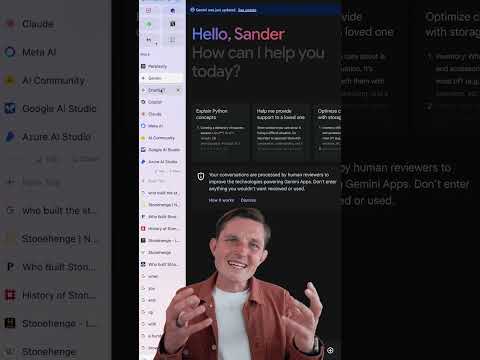
One of my favorite #AI -powered tools is the Arc browser- it’s real and available today!
This video presents an overview of the Arc browser and its AI-powered features across mobile and desktop devices. On a smartphone, the presenter demonstrates how Arc searches the web to generate concise summaries with references, summarises long webpages with a pinching gesture, supports voice queries by raising the phone to the ear, and syncs with a Mac or PC. On desktop, the video shows how Arc organises websites into separate sidebar spaces, such as Work and Personal, and automatically archives tabs left open for more than a day. It also covers hovering over links for summary previews, analysing webpages to answer questions, Swift-based speed with Chromium extension support, and default privacy tools that hide ads, cookie banners, and trackers.
Watch on AgentTVAsk about this video
Chapter summaries
Mobile AI search and instant summaries with Arc
The presenter introduces Arc as an AI-powered browser that searches and reads the web on a smartphone, providing concise summaries with references for deeper reading.
On screenA man in a rust-brown overshirt and white t-shirt stands against a purple, pink, and blue gradient background. A large Arc logo appears and shrinks above his head. He holds a smartphone and gestures while phone-style interfaces appear behind him, showing search suggestions with purple Browse for Me buttons and Google search results for Paris.
Pinch to summarise, voice search, and desktop syncing
The presenter demonstrates how to pinch a long webpage to summarise it, raise the phone to the ear for a voice call with Arc, and sync everything seamlessly to a Mac or PC.
On screenThe presenter holds a smartphone in front of a large Wikipedia article about the Wow! signal, which transitions into a summarised version under the text Pinch to Summarize. He then holds the phone to his ear against a purple-pink gradient with a glowing white Arc smiley face and speech bubble, before appearing in front of a desktop browser sidebar and a Perplexity search page.
Organising websites in sidebar spaces and auto-archiving tabs
Arc is described as an operating system for the web, keeping websites ready in a sidebar like phone apps, organised into different spaces, and automatically archiving tabs open for more than a day.
On screenThe presenter stands at the bottom of a desktop Arc browser screen with a pale lavender sidebar. The sidebar switches between Work sites like Perplexity, Gemini, and ChatGPT, and Personal sites like Reddit, YouTube, and Amazon, while the main pane displays AI chat pages, a wetsuit webpage, and scrolling lists of Stonehenge and Arc tabs.
Link previews, page analysis, speed, and privacy features
The presenter explains that hovering over any link previews a summary, and Arc can analyse and answer questions about any page. It combines Swift speed with Chromium extension support while blocking ads, banners, and trackers by default.
On screenA man in a rust-brown overshirt and white T-shirt is overlaid in the foreground, centred at the bottom, speaking to the camera and gesturing with both hands. Behind him, Arc browser pages show Google search results for who built Stonehenge with a sidebar of tabs on the left and a link preview highlighting a result for Stonehenge - Location, Definition & Age. The background then shifts to a BBC article featuring a large photo of the Stonehenge stone circle under a blue sky and green grass, followed by a Stonehenge history article with a sidebar of related searches. Next, against a light pink gradient, an Arc search summary interface titled Why Did They Build The Stonehenge displays three search result cards at the top, an image of people moving large stones, and summary text about Stonehenge filling in below. The background then changes to a purple and pink gradient showing a vertical list of rounded white and light pink feature cards with blue, red, and green icons, listing Hide ads and cookie banners, Automatically block trackers, Auto-archive old tabs, keyboard search, and swipe to go back. Finally, a white and pink-purple gradient promotional screen appears with a dark blue rounded square logo featuring a red and blue stylised A, dark blue text reading Ready to try Arc Search?, and a blue button at the bottom.
Transcript
Arc, the AI-powered browser that does the work for you, has been my favorite tool for the past 2 years. On your phone, Arc searches and reads the web for you and provides concise summaries on any topic, complete with references for deep dives. When you're stuck on a long page, just pinch to summarize it. Need to search while you're walking or driving? You can now have a call by raising Arc to your ear. Everything syncs seamlessly to your Mac or PC. Arc really isn't just a browser, it's more like an operating system for the web, with all your websites ready to go in the sidebar like apps on your phone, organized in different spaces.
I often end up with many tabs open, and Arc automatically archives tabs that have been open for more than a day. You can hover any link in any page to preview the summary. Once on a page, Arc can analyze and answer any questions about it. It really transforms your browsing experience by combining the speed of Safari, as it's built natively with Swift, and extendability of Chrome plugins, as it's powered by Chromium, all while preserving your privacy, blocking ads, banners, trackers by default.
It might get some time to get used to, but you'll never look back.