










My top 5 most-used AI tools you’ve probably never heard of
By Sander SaarPublished Updated Length
Loading YouTube player.
My top 5 most-used AI tools you’ve probably never heard of
This video presents five practical AI tools along with a bonus selection of AI browsers. The host demonstrates Wispr Flow for voice typing, Granola for bot-free meeting notes, NotebookLM for aggregating research, Claude Code for terminal task automation, and Affinity with Canva AI for design editing. It concludes with an overview of AI browsers such as Dia, ChatGPT Atlas, and Perplexity Comet, as well as the platform GiftStack.
Watch on AgentTVAsk about this video
Chapter summaries
Wispr Flow for voice typing
The host presents Wispr Flow, explaining how speech input across apps saves time and formats text across languages.
On screenThe presenter stands against a white backdrop while Wispr Flow's typing speed dashboard and mobile transcription interface appear above.
Granola for meeting notes
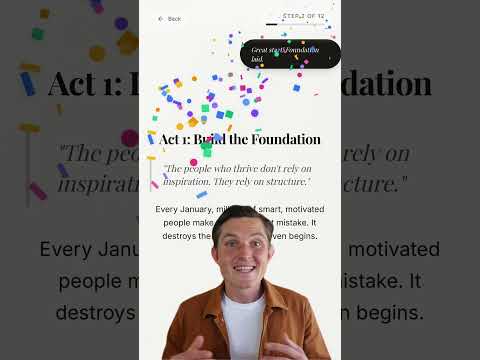
The host highlights Granola, an AI meeting assistant that takes contextual notes without bots and provides year-end reflection stats.
On screenThe host demonstrates the Granola interface generating notes, followed by slides showing annual meeting statistics and user catchphrases.
NotebookLM for deep research
NotebookLM is showcased as a research tool that aggregates up to 300 sources and generates audio or video overviews.
On screenThe presenter stands before the NotebookLM interface displaying source imports, search queries, and audio overview customization options.
Claude Code for terminal automation
Claude Code is introduced as a terminal assistant capable of automating routine tasks like uninstalling apps and batch renaming files.
On screenThe presenter speaks beneath an overlaid terminal window running Claude Code commands and batch renaming PDF files.
Affinity and Canva AI integration
The host explores Affinity's creative editing suite and its Canva AI features for generating images and removing backgrounds.
On screenThe host gestures in front of the Affinity application demonstrating prompt-based image generation and background removal.
AI browsers and digital gifting
A bonus section covers AI browsers like Dia, ChatGPT Atlas, and Perplexity Comet, concluding with a recommendation for GiftStack.
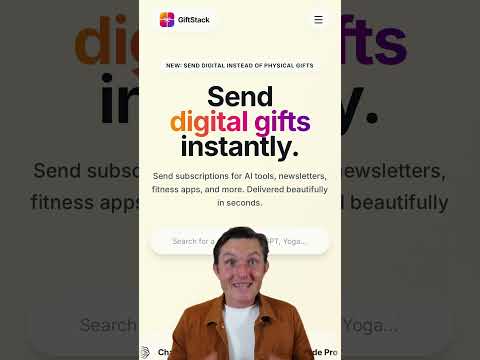
On screenThe presenter displays browser icons and screen recordings of ChatGPT Atlas analyzing videos and browsing giftstack.co.
Transcript
Here are my top 5 most used AI tools this year, and you've probably not heard of any of them. First, WhisperFlow. Talking to your computer is 4 times faster than typing. Just do it. It works across all apps. It learns your writing style, formats automatically based on whether you're in Slack, email, and makes it readable without ums and no, no, no. And yes, it handles 100+ different languages and works even in Estonian. Second, Granola for Meetings. No awkward bot joining your call. It will take notes alongside you, enhancing them with full context.
Then you can use their chat to give action items, to-dos. I also found their end-of-year recap super valuable, showing you the patterns across all meetings, how you show up, who you talk to, and genuinely useful for reflection. Third, NotebookLM. This is my research brain. Import your YouTube videos, PDFs, websites, or let deep research find sources for you. Up to 300 sources in one notebook. Then I hit audio overview to turn everything into AI podcasts or even a video overview. Use their mobile app to download for offline listening, and there's a Chrome extension that lets you import the entire YouTube channels in one click.
Fourth, Claude Code. Don't worry, this isn't about vibecoding. I use it to run actions on my computer. Open Terminal and run Claude. Tell it to uninstall an app. Approve. Done. Rename dozens of files and folders based on what's actually in them? Easy. It's like having a technical assistant that just handles the boring stuff for you. Fifth, Affinity, now owned by Canva. All the pro editing power of Photoshop, Illustrator, InDesign in one app, completely free. Works on Mac and Windows. If you have Canva Pro, you can unlock AI features right inside Affinity.
Remove backgrounds, extend photos, generate elements, one click. And here's a bonus: if you're still using a normal browser, switch to Dia, ChatGPT, chatless or perplexity comment. Talk to web pages, ask questions about videos, pull information across tabs, and dive deeper into topics. Plus, it remembers your history, so it's easy to go back. You'll wonder how you lived without it. Links to all of these below, and if you want to gift any of them to your friends, family, or colleagues, check out giftstack.co for last-minute digital gifts delivered instantly.